DeSmuME
Long-running Nintendo DS emulator with high compatibility
- Open SourceGitHub
- DesMuME TeamDeveloper
- 27 Sep 2026Page Updated
Details
- Developer
- DesMuME Team
- Source Code
- GitHub
- Page Updated
Supported Systems
Platform Support
- Windows
- macOS
ScreenshotsView All (5)
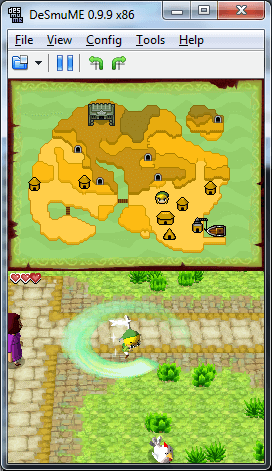
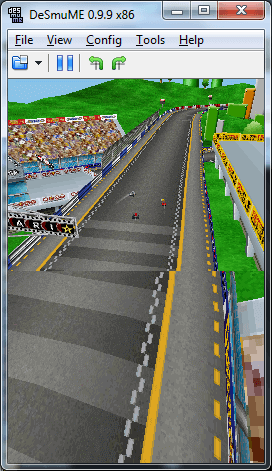
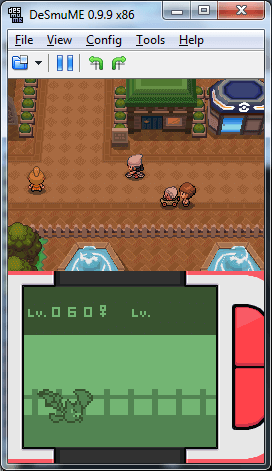
Overview
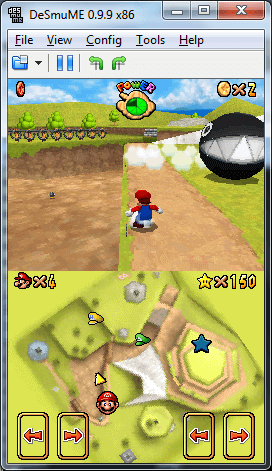
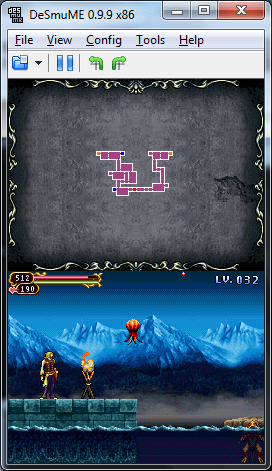
DeSmuME is one of the longest-running Nintendo DS emulators. Over the years it has combined fast emulation with a high level of compatibility, and it was one of the first DS emulators able to run many commercial games.
Its OpenGL renderer and dynamic recompiler help it perform well.
DeSmuME started as YopYop156’s emulator. Several developers who had forked that code later joined forces and released DeSmuME 0.5.0. Pooling their work made it one of the leading DS emulators, alongside NO$GBA and, more recently, melonDS.
Development has slowed over the years, with much of the effort going into ports to other systems, such as the Cocoa port for macOS, although core changes that fix problems in individual games have continued.
DeSmuME could once connect to Nintendo’s DS Wi-Fi service, but Nintendo shut down online play for DS games in 2014, so the feature no longer serves any purpose.
Which download to pick
- Windows (64-bit) is version 0.9.13, the latest stable release, and the one to take on any current PC. It needs the Microsoft Visual C++ 2015-2019 redistributable installed.
- Windows 32-bit is the older 0.9.11 release, only for 32-bit copies of Windows.
- Mac OS X is the 0.9.11 build of the Cocoa port for macOS.
System requirements
The DeSmuME FAQ lists a 2.0 GHz Intel Core 2 Duo or equivalent with 1 GB of RAM as the minimum, and a 3.0 GHz Core 2 Duo with 2 GB of RAM as recommended. DeSmuME leans on the CPU far more than the GPU, and clock speed matters more than the number of cores.
Getting started
- No BIOS or firmware files are needed: DeSmuME has its own internal versions. BIOS and firmware dumped from your own DS can be loaded instead, which adds features such as booting into the DS system menu.
- The left mouse button acts as the stylus on the touch screen.
- If a game will not save, the save type may have been detected wrongly. It can be set by hand for that game.
- There are two 3D renderers, the CPU-based SoftRasterizer and OpenGL. If a game’s 3D graphics look wrong in one, try the other.
Key Features
High Compatibility
One of the first DS emulators to run many commercial games.
OpenGL Renderer
An OpenGL renderer helps it perform well.
Dynamic Recompiler
A dynamic recompiler speeds up emulation.
Many Ports
Ported to other systems, including a Cocoa port for macOS.