
Gallian Chronicles
PC port of Valkyria Chronicles II
- RecompilationPort Type
- amritadyneDeveloper
- 17 Nov 2026Page Updated
Details
Platform Support
- Windows
Screenshots
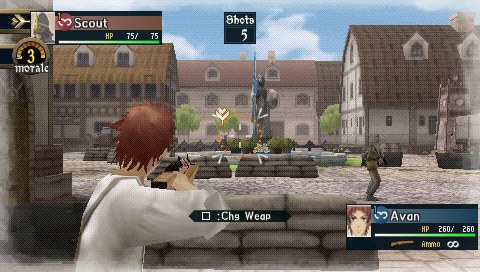
Overview
Gallian Chronicles is a launcher by amritadyne that sets up and runs native Windows ports of two PSP games, Valkyria Chronicles II and Valkyria Chronicles 3. Each game’s PSP executable is statically recompiled to C++ on your own PC with PSPRecomp and PortableKit, then runs on a native host with Vulkan rendering, SDL3 input and audio and PortableKit’s PSP system services.
Both games can run in any window shape and resolution, with the 3D view widened and the interface kept in place, and at frame rates above the PSP’s 30 or 60 with the game’s timing kept correct. Keyboard and mouse or controller controls come with button prompts that follow the device in use, and an in-game Settings screen is added to the games’ own menus. They also load texture packs in PPSSPP’s layout, draw sharper text, take text override files for retranslations, and Valkyria Chronicles II gains online play with friend codes.
Valkyria Chronicles 3 needs the Japanese Extra Edition, or the fan ReTranslation made from it for English. The download contains no game files.
How to Set It Up
- Download the Windows zip and extract it.
- Start the Gallian Chronicles launcher and pick a game.
- Use Game files, Set up from disc image and choose your .iso. The launcher checks its hash, then recompiles the game’s code on your PC.
- Start the game from the launcher.
Advertisement
Download Gallian Chronicles
What's new in v0.9.0Gallian Chronicles 0.9.0
Native Windows ports of Valkyria Chronicles II and Valkyria Chronicles 3 (PSP), with the Gallian Chronicles launcher.
No game files are included: you need your own disc images (uncompressed .iso):
- Valkyria Chronicles II: Europe, North America or Japan.
- Valkyria Chronicles 3: the Japanese Extra Edition (ULJM-05957), or the ReTranslation v1.0.8 image made from it for English.
Start: unzip anywhere, run Gallian Chronicles.exe, pick the game, then Game files > Set up from disc image. Needs Windows 10/11 64-bit and a Vulkan graphics driver. See README.txt in the zip.
SHA-256 of the zip: see the .sha256.txt file below.
“Why isn’t this 1.0?” Without full start to finish testing or extensive Japanese version experience I cannot claim the game is perfect as is, however my own extensive testing in both games show no major issues, no recorded crashes or obviously unintended behaviour.
361e148ab77ed93a9803058f1059ca4d92dc156543aa270a29b06f8e97e5fd70
33a5be8bb0a1f5108c4380226cbd2cdca8545d36a6a395c013ae1bb23bc3c491