P.T. for PC
PC port of P.T.
- ReimplementationPort Type
- LoreanXavierDeveloper
- 22 Oct 2026Page Updated
Details
Platform Support
- Windows
- Linux
Screenshots
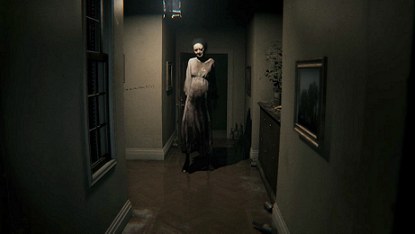

Overview
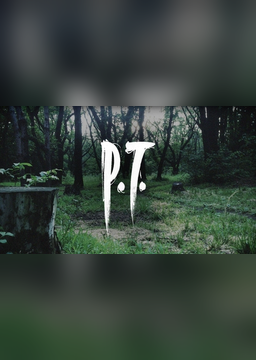
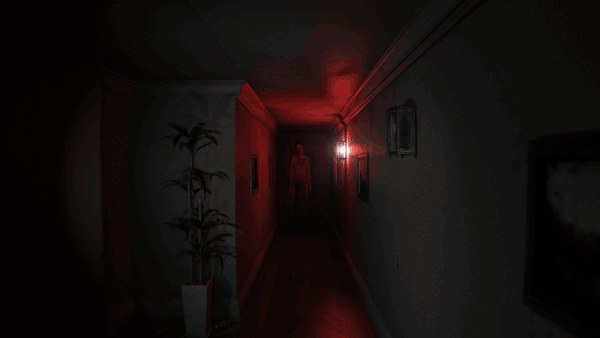
P.T. for PC is a native port of P.T., the 2014 PlayStation 4 teaser for the cancelled Silent Hills. It is not an emulator: the game logic was rebuilt in C++ from the way the original behaves, and the renderer is new, written for Vulkan. Every level, model, texture, sound, script and cutscene is read at run time from the player’s own copy of the PS4 game.
It plays the whole teaser, from the first wake-up to the final street scene, including the part that listens for the player’s voice. The graphics settings go from the original PS4 look to ray-traced shadows, ambient occlusion and floor reflections, with textures optionally upscaled once from the player’s own files. On Windows it also has AMD FSR 3.1, NVIDIA DLSS and Intel XeSS upscaling and frame generation.
Extras include a photo mode, a free camera, a loop browser and a museum of the game’s hidden images, voice lines and unused content, unlocked as they are found, plus a speedrun timer with LiveSplit support. Third person view and VR through OpenXR are experimental. Menus and subtitles add Turkish, Simplified Chinese, Arabic, Russian and Ukrainian to the original languages, and a mods folder can replace files and run Lua scripts.
The download contains no game data. It needs P.T. for the PS4, dumped from your own console.
How to Set It Up
- Download the setup for your system and run it. On Linux,
chmod +xit first and run it from a terminal. - Point the setup at your dump folder or fake PKG and at a destination folder. It copies the three game archives the port needs and can make a shortcut.
- Start the game. Settings, saves and the log go to
%APPDATA%\pt-port\pt\on Windows and~/.local/share/pt-port/pt/on Linux. - On a Steam Deck, install from desktop mode and add
ptas a non-Steam game.