Godfather Reborn
PC port of The Godfather: The Don's Edition
- RecompilationPort Type
- whompayDeveloper
- 15 Nov 2026Page Updated
Details
Platform Support
- Windows
Screenshots
.iso or a dumped game folder holding PS3_GAME. Windows 10 or 11 (64-bit), a Direct3D 12 graphics card, about 10 GB of free space and 16 GB of RAM. Setup installs Python and the Visual Studio C++ build tools if they are missing; RPCS3 is needed only if the game’s executable is still encrypted.Overview
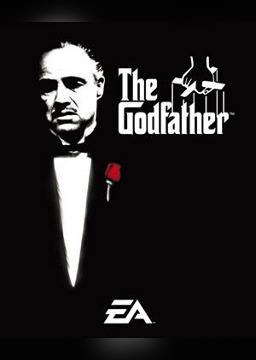
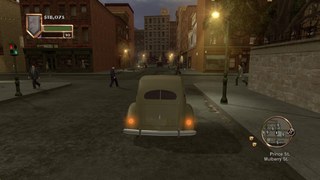
Godfather Reborn is an unofficial native Windows port of The Godfather: The Don’s Edition, the 2007 PlayStation 3 release of EA’s open-world crime game. The game’s PowerPC and SPU code is statically recompiled to x86-64 with ps3recomp and drawn through a Direct3D 12 renderer, so it runs as a normal Windows program rather than under an emulator. The download holds only the port’s own code and setup: the game is regenerated and compiled on the player’s PC from their own disc. It comes from the same developer as inFAMOUS Reborn.
As well as a frame rate unlocked well beyond the original 30 fps, it adds resolution scaling, sharper shadows, ambient occlusion, bloom, colour grading and wet streets when it rains, full keyboard and mouse controls with PC button prompts, Xbox controller support, real cutscene skipping and twelve languages. On top of the game it adds two-player co-op over the network, an inventory and shops inside the city’s businesses, a working tailor, conversations with passers-by using the game’s own voice lines, ragdoll physics and new animations. Each of these additions can be turned off in the launcher.
Updates from Setup or the update shortcut download and rebuild only what changed, keeping saves and settings.
How to Set It Up
- Download the Windows setup and run it (choose More info > Run anyway if Windows warns you).
- Pick your game: the
.iso, or the dumped folder that holdsPS3_GAME. Setup checks it is the supported European release. - Press Install. Setup installs any missing build tools, regenerates the game’s code from your disc and compiles it on your PC, which takes a while the first time, then adds shortcuts.
- Start The Godfather from its shortcut. The launcher sets display, graphics, controls, language and mods before you press Play; in the game, F11 switches between fullscreen and a window. For co-op, one player hosts from the pause menu’s Co-op tab and the other joins by address over UDP port 27960.
Advertisement
Download Godfather Reborn
a59bb1a067a2ced8c6b55f21b8bf030c2a6be7c91db3d08e1f6ec549dc96e746
8066c971b152fb047bf3b9e55803f4d790cecba3cb5ecf6ec46c6afec1d6ad54