Demon's Souls Recomp
PC port of Demon's Souls
- RecompilationPort Type
- timboatDeveloper
- 5 Nov 2026Page Updated
Details
- Developer
- timboat
- Port Type
- RecompilationA tool translated the game's original machine code into C automatically, which was then built as a native PC program.
- Game
- Demon's Souls
- AI Use
- AI-assistedAn AI coding tool is credited as co-author on 63 of the repository's 64 commits. Source
- Source Code
- GitHub
- Page Updated
Platform Support
- Windows
- Linux
Screenshots
BLUS-30443), as a disc image (.iso or Redump .zip, with its disc key if encrypted) or a dumped disc folder from your own disc. Windows 10 or 11 64-bit, a Direct3D 12 graphics card and about 14 GB free.Overview
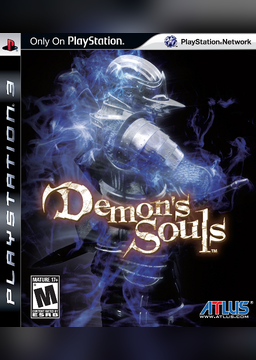
Demon’s Souls Recomp is an unofficial native Windows port of FromSoftware’s 2009 PlayStation 3 action RPG. It uses the ps3recomp toolkit to statically recompile the game’s PowerPC and SPU code to C and C++, which then runs on a PS3 runtime with a Direct3D 12 renderer as a normal 64-bit program rather than in an emulator.
The download holds only the tools, patches, build scripts and launcher. Setup reads the player’s own disc image, decrypts the game’s program with RPCS3, recompiles about 94,000 functions and compiles the result on their PC. A setup and play kit for Linux and Steam Deck builds the same port and runs it through Proton; it is published as a test build on the project’s GitHub page.
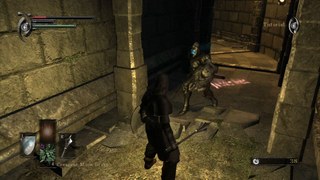
The developer says the whole game seems playable, with sound, music, movies and smooth cutscenes. It runs at 60 frames a second by default, or 30, 50 or any rate up to 240, though rates above 60 still have known bugs with sound sync and movement speed. It can render at up to four times the original 720p, supports Xbox controllers and keyboard and mouse with clickable menus and on-screen key icons, and can dump textures and load the PC Remaster mod or imported models. There is no online play yet.
How to Set It Up
- Download the zip and extract it to a short, plain path such as
C:\Games\DemonsSouls(no[ ]or&in it). - Run
DemonsSoulsLauncher.exeand press Play. The first time it offers to runSETUP.bat: answer Yes. - Give setup your disc image and, if it asks, the disc key. It downloads what it needs (RPCS3 to decrypt the game’s program, a portable Python, Git and compiler) and builds the game, which takes 10 to 30 minutes.
- When it says All done, press Play. Check for updates in the launcher fetches a newer release and rebuilds.
Advertisement
Download Demon's Souls Recomp
What's new in v2026.11.04Demon's Souls PC port — 2026-11-04
No game files are included, and there is no ready-to-play download. The ZIP holds the tools, patches, build scripts and the launcher.
SETUP.batreads your own disc image and builds the game on your PC.
New in this release
- Pointing in menus. In a menu the Windows arrow appears: moving it over an item selects it (with the game’s own
cursor sound and help text), a left click on an item confirms it (on another item it selects it first; on empty
space it does nothing), right click goes back, the wheel scrolls. Keys and the controller take over as soon as you
use them. Works in the title, profile select, Start menu, inventory, equipment, item commands, shops, talk
choices, level-up, the archstone list, the System menu and yes / no boxes (Options rows still use keys / wheel).
set DES_POINT=0turns pointing off. - Keyboard / mouse button icons. While you play with keyboard and mouse, the button icons in key guides, prompts,
the HUD and the Start menu show keys and mouse buttons instead of PS3 buttons, and the title says “PRESS ENTER
BUTTON”; touch the controller and they switch back. The icons are drawn on your PC from your own copy of the game
(the letters are the game’s own font).
set LD_TEX_KBM=0keeps the PS3 icons. - Mouse in menus: left click confirms, right click goes back, the wheel moves the cursor, side buttons / PageUp / PageDown switch tabs.
- Tower of Latria runs faster on CPUs like the Ryzen 7 5800X (4-2 start 49.6 -> 55 fps).
Install
- Download
DemonsSoulsRecomp-v2026.11.04.zipbelow and unpack it somewhere with ~14 GB free, in a short, plain path such asC:\Games\DemonsSouls. - Start
DemonsSoulsLauncher.exeand press Play: the first time it offers to runSETUP.bat, answer Yes. Give it your disc image (.iso, Redump.zip, or a dumped folder). If the image needs its disc key, SETUP opens Redump’s page for this disc for you: copy the “Disc Key” line and paste it with Ctrl+V. Pressing Enter takes the suggested answer for everything else. SETUP downloads what your PC lacks (Python, Git, RPCS3, a compiler, the Visual C++ runtime) by itself. - When it says All done, press Play.
Full guide and requirements: README. Linux / Steam Deck: docs/LINUX.md.
Update from an older copy
From v2026.11.03.7 on, Check for updates in the launcher does everything (download, rebuild, reopen; your game
files, saves and settings stay). The first build after this update also draws the keyboard / mouse icons (it
downloads the small Pillow image library once for that). Copies from before v2026.11.03.7, this one time:
download the new ZIP, copy everything inside its DemonsSoulsRecomp-v2026.11.04 folder over your old folder
(replace files; your game, port and deps folders and your saves are not in the ZIP and stay), then press
Play: it rebuilds what changed first.
Known issues
- No online play yet; multiplayer is planned once the game is optimised.
- Above 60 fps: audio can drift out of sync and the run speed can be off.
- Mostly smooth on high-end PCs; lower-end CPUs (4-6 cores) can still dip in heavy areas. Work on that is ongoing.
- At 2x internal resolution a loading screen can briefly flicker in the top-left corner (fix in progress).
- Windows N editions without the Media Feature Pack: the game does not start yet (fix in progress).
- Inside Windows Sandbox or a VM, RPCS3 can crash while decrypting; decrypt on another PC (see the README).
- Steam Deck not confirmed yet.
89fc00493eb7d7f17dc0b8b5fc16663c29d5edbee9d9451d4ffa57f250b37135
15a1be0b082c7faacac29428a818ec00e45a935ca8bd88670694a293c59651d3