ico-pc
PC port of ICO
- DecompilationPort Type
- nathanialfDeveloper
- 27 Oct 2026Page Updated
Details
Platform Support
- Windows
- Linux
Screenshots
.iso image dumped from your own disc. Other regions are not supported. About 1 GB of free space for the extracted data.Overview
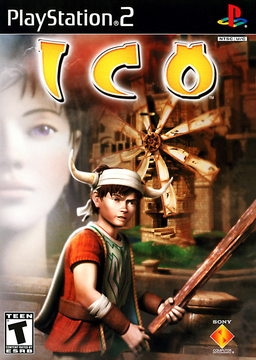
ico-pc is a native PC port of ICO for 64-bit Windows and Linux, including the Steam Deck, built from a community decompilation of the PAL PlayStation 2 release. Because it runs the game’s own logic, it plays, sounds and times like the PAL version, and every extra starts off or neutral until it is chosen.
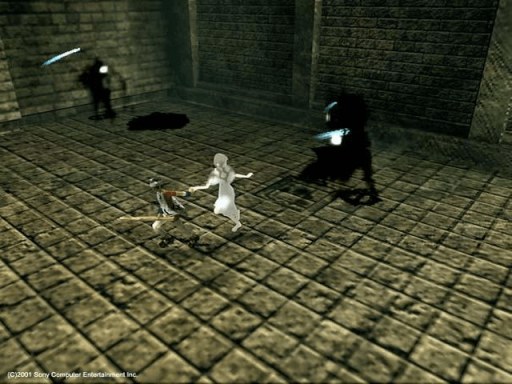
The options include resolution scaling up to 4x, 16:9 and other aspect ratios, uncapped or capped frame rates up to 240 fps, a CRT filter, 60 Hz or 50 Hz video, separate volumes, control remapping with mouse look, five languages and achievements. A photo mode, a music and sound gallery and a model viewer are added, along with optional gentler gameplay where the shadows never take Yorda. Saves use the PS2 memory card layout, and a bundled tool imports an existing save from a PS2 card image.
Rendering uses Vulkan. The download contains no game data. It needs the PAL disc, dumped from your own copy.
How to Set It Up
- Download the zip for Windows or the
.tar.gzfor Linux and the Steam Deck, and extract it to a folder you can write to. - Run
x64\ico_pc_x64.exeon Windows or./ico_pcon Linux. On a Steam Deck, addico_pcto Steam as a non-Steam game and do the first launch in Desktop Mode. - The first time, pick your disc image, or put it beside the program as
Ico_PAL.iso. The port checks it and extracts the game’s data once; later runs no longer need the image. - Open Options from the title screen or the pause menu to change the display, controls and gameplay settings.