GT4Recomp
PC port of Gran Turismo 4
- RecompilationPort Type
- moesuitoDeveloper
- 24 Oct 2026Page Updated
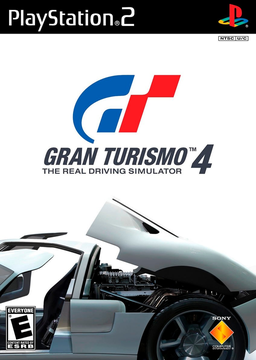
Details
- Developer
- moesuito
- Port Type
- RecompilationA tool translated the game's original machine code into C automatically, which was then built as a native PC program.
- Game
- Gran Turismo 4
- AI Use
- AI-assistedAn AI coding tool is credited as co-author on 322 of the last 710 commits. Source
- Source Code
- GitHub
- Page Updated
Platform Support
- Windows
Screenshots
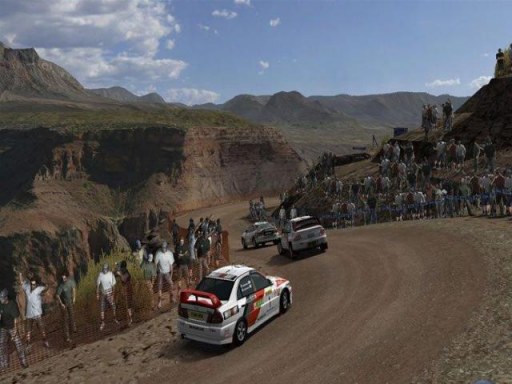
.iso from your own disc. Windows 10 or 11 64-bit, a processor with SSE4.1, a Vulkan 1.2 graphics card and about 6 GB of free space.Overview
GT4Recomp is an unofficial native Windows port of the US release of Gran Turismo 4. The PlayStation 2’s main processor code and every VU0 and VU1 microprogram are translated ahead of time into C++ and compiled into native code, while the rest of the PS2 hardware is reproduced in software and the graphics run through the GSdx renderer from PCSX2 on Vulkan. The developer describes it as a hybrid recompilation rather than one with no emulation at all.
The developer reports a locked 60 FPS at full game speed in every scene they test. The game renders at 1080p by default and up to 1440p, 4K or 8K, with native ultrawide and other aspect ratios that widen the 3D view while the HUD stays centred, and render scaling from 50% to 200%. PCSX2 texture packs and HD textures work without renaming folders.
An installer and launcher set the game up from the player’s disc image and hold the settings, saves, controller remapping and update checks. Any controller works through SDL3, and the memory card saves survive a crash. Some license demos and menu backgrounds do not play, though every license test does, and racing wheels are not supported yet.
How to Set It Up
- Download the GT4Recomp Setup and run it. It installs to Program Files by default, or a folder you choose, and fetches the WebView2 runtime if it is missing.
- Start Gran Turismo 4 from the Start menu and choose your disc image. The launcher copies and checks it and downloads the GSdx renderer the game runs on.
- Choose the resolution, aspect ratio and controls in the launcher’s settings, then press Play.
- Texture packs go in the
data\Texturesfolder of the install (Settings, Graphics, Open textures folder).