DQ8Recomp
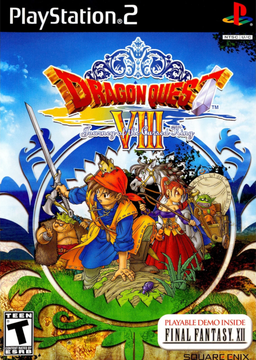
PC port of Dragon Quest VIII: Journey of the Cursed King
- RecompilationPort Type
- Sinan-KarakayaDeveloper
- 23 Oct 2026Page Updated
Details
Platform Support
- Windows
- Linux
- macOS
Screenshots
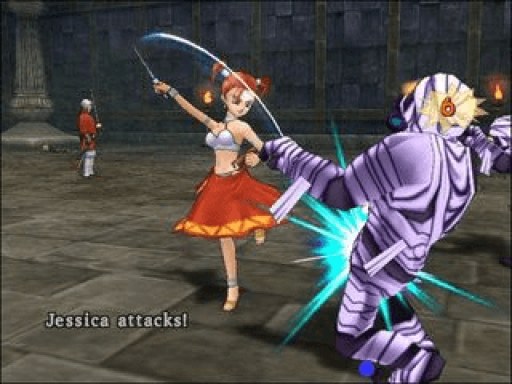
.iso) of Dragon Quest VIII: Journey of the Cursed King for the PS2, North American release (SLUS-21207), made from your own disc. About 8 GB of free space and a C++ compiler, which the launcher can install.Overview
DQ8Recomp is a native port of Dragon Quest VIII: Journey of the Cursed King for Windows, macOS and Linux, built with the PS2Recomp static recompiler. The game’s MIPS code is translated to C++ and linked to a runtime that implements the PlayStation 2 services it uses, with graphics drawn through SDL3’s GPU interface or a software reference renderer.
The downloads are kits: a launcher with everything the build needs except a C++ compiler. It checks the player’s disc, copies its files, translates and compiles the game on their computer, and starts it. Updating means downloading a newer kit; saves are kept and only what changed is rebuilt. A new build is released for every change to the project.
The author calls it a development project, not a finished port. The North American release boots, loads saves and reaches field gameplay, with sound from the game’s own audio drivers, but steady playable performance and full-game compatibility are still being worked on, and the PAL version is incomplete. The download contains no game code or files. It needs the North American PS2 release, dumped from your own disc.
How to Set It Up
- Download the kit for your system (Windows, macOS on Apple Silicon or Intel, Linux x86-64 or ARM64) and unpack it. On Windows, extract the whole zip first: the launcher can’t run from inside it.
- Open
dq8-launcherin theDQ8Recompfolder, or the DQ8Recomp Launcher app on macOS. The app isn’t signed: on macOS, runxattr -dr com.apple.quarantineon it once in Terminal; on Windows, choose More info, then Run anyway. - Drag your disc image onto the launcher’s window and go through its pages. If something is missing, such as a C++ compiler, press Install for me.
- Press Start building. The first build takes about ten minutes on a recent computer. Then press Play. In the game, F1 opens the menu for controls, display and sound.