Wild 9 Recompiled
PC port of Wild 9
- RecompilationPort Type
- plinkrDeveloper
- 1 Nov 2026Page Updated
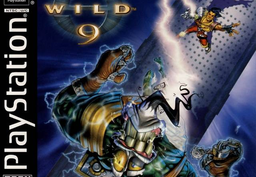
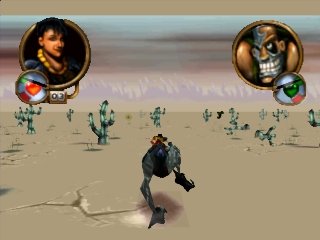
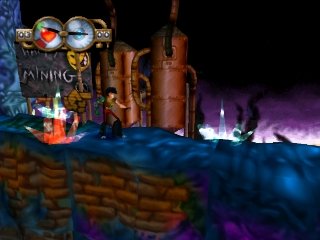
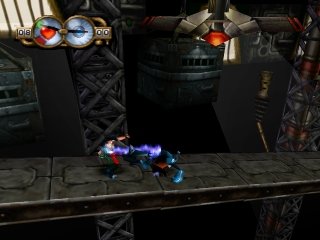
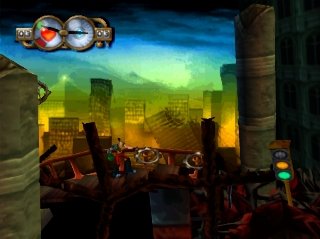
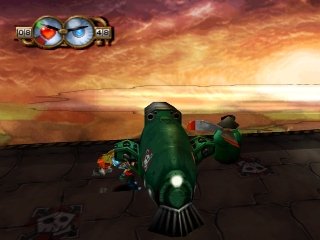
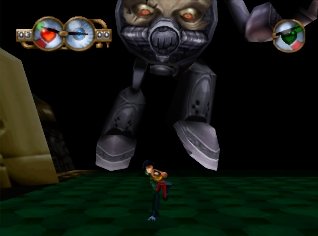
Overview
Wild 9 Recompiled is a native port of Wild 9 for Windows, Linux and macOS, made by static recompilation with PSXRecomp and the recomp-ui launcher. The download is a build kit: it generates the game code from your disc and compiles it on your PC, which can take several minutes.
It uses PGXP geometry and perspective-correct textures to remove polygon jitter and texture warping, and its mods add widescreen with stretched 2D backdrops, frame blending at 60 to 165 fps, an FMV skip button, a debug overlay and cheats. OpenBIOS is built in.
The download contains no game data. It needs Wild 9 (USA), dumped from your own disc.
How to Set It Up
- Download the zip for your system and extract it to a writable folder.
- Run
Wild9_Recompiled(Wild9_Recompiled.exeon Windows) and select your Wild 9.cuefile. - Click Generate & rebuild. The game is compiled on your PC and starts when it is done, which can take several minutes. On Windows the setup can download the build tools it needs; on Linux and macOS install CMake, Ninja, Python 3 and a C compiler first.
- Enable widescreen, higher frame rates, FMV skip or cheats in the launcher’s Mods tab.
Advertisement
Download Wild 9 Recompiled
What's new in v0.1.9Wild9 Recompiled v0.1.9
[0.1.9] - 2026-11-01
Features
(localization) Add Japanese text from Wildroid 9 to supported languages
Wild 9 never shipped a Japanese option in the USA release, and simply changing its language value cannot work because the USA executable only knows how to draw Latin glyphs. Wildroid 9, the Japanese release, runs the same script engine, so its Japanese script and font can be reused to offer Japanese as a real choice in the launcher while players still only need the USA disc.
A new tool in
tools/localizationextracts the Japanese script packages and glyphs from a Wildroid 9 disc once, when the generated code is prepared. The extracted data is added to the generated bundle rather than to git, and it is compiled into the released game. Players still only need their own USA disc image and do not need the Japanese release. When Japanese is selected, the recompiled game loads the Japanese script in place of the English one and draws its text with the original Japanese font. Builds without that data, or renderers without texture bank support, keep showing English, so selecting Japanese never leaves the game without readable text.Japanese dialogue boxes are wider than the English ones, which made the runtime treat them as full screen backdrops and stretch them in widescreen. The widescreen plugin now recognises these panels and keeps them at their original proportions.
The new hooks are registered in
game.toml, so the generated code must be regenerated and the bundle repacked with the Japanese disc. The packing script now takes care of the extraction, and the version moves to0.1.9
7e5fa0c6e9add6e11bef00f649ffb5b6ab2545b6a4fa51fef8f315f7c14d88df
fc47a922ceb84a8c856591de84089da3382620bdd17bb75354c399f0f9c81fee
a781e7b8d5a3ce9a9a8962d72ab43e3ef145c54a4ec48a5ac7fab14ee6e80f64
d1f4aba00865e2056fb8108c9bffff3a880e1d5dda49a9988de2bde0b0f62d1b