Vandal Hearts PC Port
PC port of Vandal Hearts
- DecompilationPort Type
- HalmyLyseasDeveloper
- 30 Sep 2026Page Updated

Details
- Developer
- HalmyLyseas
- Port Type
- DecompilationThe game's code was rewritten by hand as source code that builds back into the same game, then made to run natively on PC.
- Game
- Vandal Hearts
- AI Use
- AI-assistedAn AI coding tool is credited as co-author on 296 of the repository's 379 commits. Source
- Source Code
- GitHub
- Page Updated
Platform Support
- Windows
- Linux
Screenshots
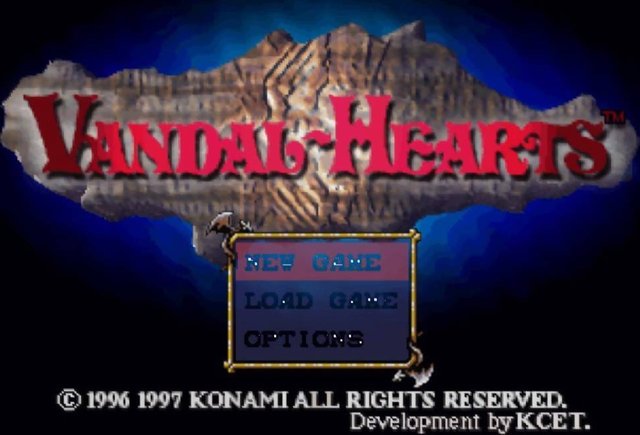
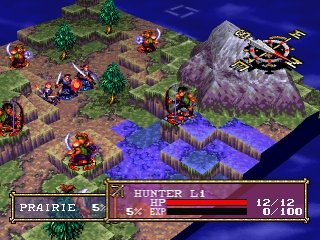

Overview
Vandal Hearts PC Port is a native port of Vandal Hearts for Windows and Linux. It is built on matching decompilations that rebuild the original US and Japanese executables byte for byte, with the PlayStation graphics, sound, CD and video hardware replaced by portable code. One executable runs the USA, Asia and Japan releases.
The faithful game is the default. Options add an accurate software renderer with supersampling, an enemy threat overlay, an in-game options and save manager, fast forward, an optional Tactical Mode rebalance, community language packs and optional HD packs for backgrounds and movies, offered as separate downloads.
The full game has been played through on Windows and Linux. The download contains no game data. It needs Vandal Hearts, dumped from your own disc.
How to Set It Up
- Download the Windows
.zipor the Linux.AppImageand put it in its own folder. - Create a
gamefolder next to the program and put your disc image in it; the region is detected automatically. - Run
vandalhearts_pc.exeon Windows or the AppImage on Linux. - Press Select and Start together in game for the options overlay; settings are also in
vandalhearts.ini.