Resident Evil PC Decomp
PC port of Resident Evil
- DecompilationPort Type
- ecruellsDeveloper
- 23 Oct 2026Page Updated
Details
- Developer
- ecruells
- Port Type
- DecompilationThe game's code was rewritten by hand as source code that builds back into the same game, then made to run natively on PC.
- Game
- Resident Evil
- AI Use
- AI-assistedThe repository has AGENTS.md, a file of instructions for AI coding tools. Source
- Source Code
- GitHub
- Page Updated
Platform Support
- Windows
- Linux
Screenshots
Overview
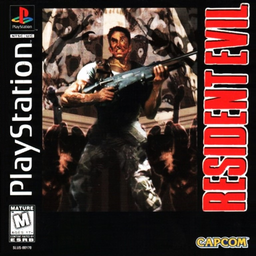
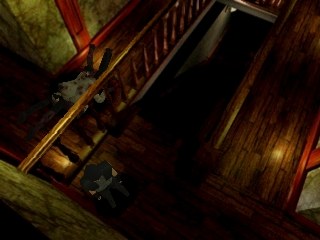
Resident Evil PC Decomp is a decompilation of the 1997 Windows release of Resident Evil. Its game logic was rewritten in C++ from the original executable, and Capcom’s DirectX 5 layer was replaced with Direct3D 11 and XAudio2 on Windows and with SDL2, OpenGL and ffmpeg on Linux, so it runs natively on current systems and on the Steam Deck.
The author calls it functionally complete: every room, enemy, cutscene, movie, menu and ending of the original works, and all but one of the game’s 1,717 logic functions have been rebuilt. Beyond the PC original it can load the Japanese release, and a Director’s Cut mode overlays the PlayStation Director’s Cut’s rooms, items and arranged costumes on top of the PC data. It can also play the PlayStation ending credits, use Ogg and PlayStation audio, and skip movies that normally can’t be skipped. Both builds are 32-bit; the Linux one carries its own SDL2 and ffmpeg libraries and only needs a 32-bit OpenGL driver.
A separate Asset Migrator tool copies the game files from an installed copy or a disc image into the folders the port reads. The downloads contain no game data. It needs the 1997 Windows release of Resident Evil from your own copy.
How to Set It Up
- Download the game for Windows or Linux and the Asset Migrator for Windows, and extract them.
- In the Asset Migrator’s PC Assets tab, pick your installed copy or disc image and migrate it to a
USAfolder (orJPNfor the Japanese release). Converting the movies needsffmpegon your PATH. - Optionally, build the
DCoverlay from a Director’s Cut disc image (BIN/CUE) in the Director’s Cut tab. - Put the
USAfolder (andJPNorDC) next to the game, or set the folder under[Assets]inconfig.ini. - Run
residentevil.exeon Windows, orresidentevil.shon Linux. SetMode=DCunder[Game]inconfig.inito play the Director’s Cut content.