Metal Gear Solid Recompiled
PC port of Metal Gear Solid
- RecompilationPort Type
- AlexbeavDeveloper
- 15 Nov 2026Page Updated
Details
- Developer
- Alexbeav
- Port Type
- RecompilationA tool translated the game's original machine code into C automatically, which was then built as a native PC program.
- Game
- Metal Gear Solid
- AI Use
- AI-assistedThe project says: “This project was developed with AI assistance. AI assists with code, documentation, and investigation; Alex tests the game and makes release decisions.” Source
- Logo
- AI-made fan logo, free to use · Full size
- Source Code
- GitHub
- Page Updated
Platform Support
Screenshots
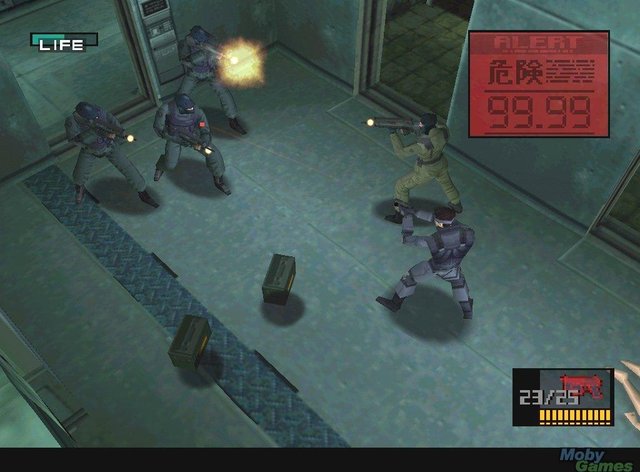
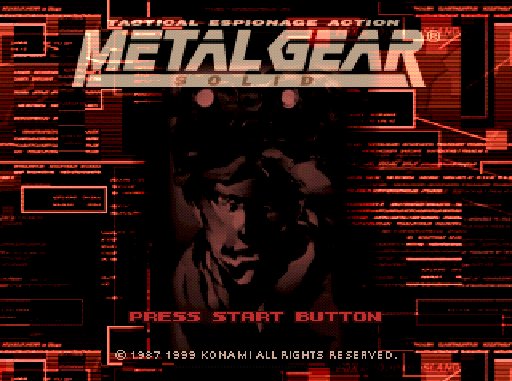
Overview
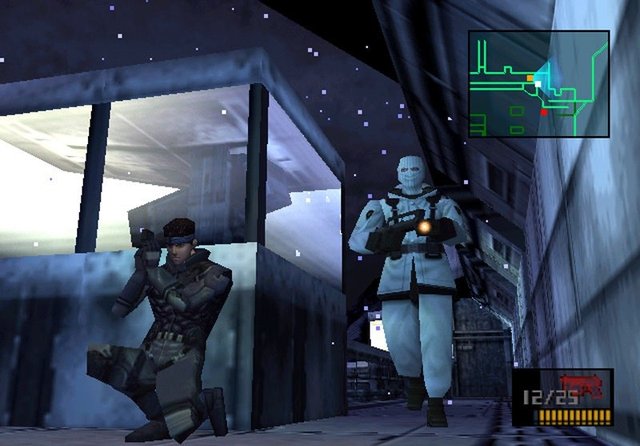
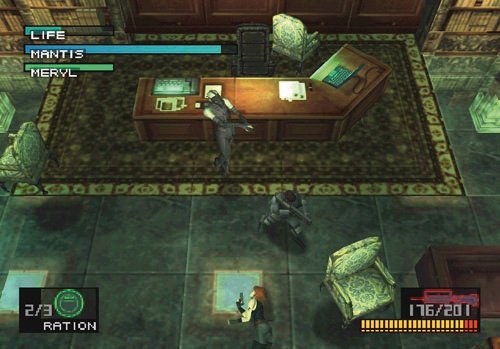
Metal Gear Solid Recompiled is a native version of Metal Gear Solid for Windows, Linux and macOS, made by static recompilation with PSXRecomp. It is a build kit: the download holds the recompiler, the recomp-ui launcher and a setup wizard, but no playable game. On first run the wizard reads your disc, generates C code from the game and compiles it on your computer, which can take several minutes.
On Windows the wizard downloads the build tools it needs; on Linux and macOS you install CMake, Ninja, Python 3 and a C/C++ compiler first. The kit includes optional enhancement packages for faster loading, CD speed, PGXP geometry correction and a bezel. Version 0.1.0 is an early release: Windows setup and compilation were checked automatically, but gameplay and Linux and macOS setup are unverified, and macOS builds are not notarised.
The author says AI tools were used heavily in making it. The download contains no game data or BIOS. It needs Metal Gear Solid (Europe, SLES-01370), both discs, dumped from your own disc, and a European SCPH-5552 BIOS dumped from your own console.
How to Set It Up
- Download the zip for your system: Windows x64, Linux x64, or macOS for Apple Silicon or Intel.
- On Linux and macOS install CMake, Ninja, Python 3 and a C/C++ compiler first; on Windows the wizard downloads the build tools.
- Extract the zip into a writable folder and run
Metal_Gear_Solid_Recompiled(Metal_Gear_Solid_Recompiled.exeon Windows). - In the setup wizard select your CUE file (keep its BIN files beside it) and your BIOS dump, then choose Generate & rebuild.
- Start setup with disc 1. The first run compiles the game and takes several minutes; the other discs are asked for when the game needs them.
Advertisement
Download Metal Gear Solid Recompiled
What's new in v0.1.4
Metal Gear Solid 0.1.4 moves from psxrecomp pin I 0.1.20 (v0.1.3) to pin I 0.1.23 (psxrecomp 578bd3b, recomp-ui 5302f1f). Nothing else changes in this title’s repository.
New features
These came with 0.1.2 and are part of 0.1.4. If you are updating from an earlier version, they are new to you.
Replays: Replay recording is now supported in Metal Gear Solid. Press F12 to start recording during play, then F12 again to stop and save in an available replay slot.
Recording needs at least one free replay slot. If every slot is occupied, the game shows “No free replay slots”. Open the save states menu with F7, then press Tab to switch between Save States and Replays. Select a recording and press Enter to play it, F2 to rename it, Delete to remove it or E to export it.
Replays record your inputs rather than video, so you can share them as lightweight files with someone using the same version of the game. Compatibility with different versions is not guaranteed. Differences in the game build, disc, BIOS or replay settings can affect playback.
Press a gameplay control to stop a replay and take control at that point. When a replay finishes, the game continues from its recorded endpoint under your control.
You can record during play or from boot. To record from boot, tick “Record replay” in the GUI launcher before starting the game. F12 stops and saves this recording too. F12 and F7 are the default shortcuts and can be rebound; F11 toggles fullscreen.
To keep replay timing repeatable, both recording and playback use interpreter mode instead of native compiled execution. This can reduce performance, especially on weaker systems.
Recording currently supports a single Player 1 pad. PS1 Mouse, neGcon, GunCon, multitap and netplay recording are not supported.
Keyboard profiles: Save named keyboard profiles and reuse them across sessions. Use Save as, Load, Rename and Delete to manage your profiles. The Default profile stays protected.
Dual key bindings: Assign up to two keyboard keys to each action. Right-click a binding to clear it. Duplicate assignments stay visible and are highlighted so you can resolve conflicts.
PS1 Mouse, neGcon and GunCon: These controller types can be selected for games that support them. Whether Metal Gear Solid uses one of them was not tested.
Launcher improvements: Each configured player gets a separate controls tab. The launcher remembers downloaded cover art and lets you choose a replay as a startup option.
Portable paths: Portable packages can retain local disc, BIOS and save paths when you move the game folder. Move the whole installation, including its configured local files.
Movies fill the picture: A 24-bit movie frame is shown at its own height, so the black bars above and below a movie are gone. Setting: Display, “Crop movies to the picture”. From 0.1.4 it is off by default (see Changes).
Save-state compatibility: Make an in-game save before updating, and keep a backup of your old installation and memory cards. Save states from older builds can be incompatible with this update.
Changes
- Two of the game’s graphics transfers (DMA) are handled as the PlayStation does; before, some menus could be drawn over the previous frames.
- OpenGL renderer: more exact triangle edges and one-pixel strips, closer to the software renderer.
- Interlaced (480i) screens: the field on display is no longer drawn over.
- Movies are shown uncropped by default.
- In-game menu: Restart game (a cold boot of the disc), the look rows (renderer and picture options), window size, volume, controller 1 port and disc reinsert.
- New Advanced setting, GPU drawing time (Settings > Advanced), off by default. It times the GPU’s drawing as the PlayStation does; only a few games need it.
What to do. Download 0.1.4 and run setup again with the same disc and BIOS.
…
b7258c814722683507354a553d7a15e9d26387b4616f505df5c31dd3f527449d
5c527508f554675915eaa8dfaff6ce749c7f61ea50b1099da66ef352cb1e8dee
33d6dc0f8b341ae78ac9f339ccfc249e28313985f13734ac12e0cd85283b8c3a
2986a78c9eee5ad6cb931b872ba63cab22e18388270c5652fc7dd6abb0998350
43f26854d35d6848976d70ff41079c05f9cfe4d40311b6e74b7825b45829d71d