Wind Waker HD Recomp
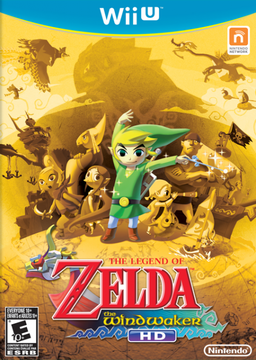
PC port of The Legend of Zelda: The Wind Waker HD
- RecompilationPort Type
- ZeldaWWHDRecompDeveloper
- 21 Oct 2026Page Updated
Details
Platform Support
- Windows
- Linux
- macOS
Screenshots
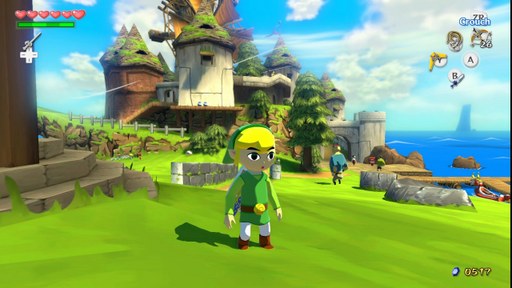
.wux or .wud disc image, a Cemu .wua archive or an extracted game folder. A disc image also needs its disc key and the Wii U common key, dumped from your own console.Overview
Wind Waker HD Recomp is a native port of The Legend of Zelda: The Wind Waker HD for Windows, Linux and macOS. The US Wii U game’s PowerPC code is translated to C ahead of time, the Cafe OS libraries it uses are reimplemented natively, and its GX2 graphics are drawn directly with Vulkan, or Metal on macOS, with no Cemu runtime. The releases are kits: the game’s code is translated and compiled on the player’s computer the first time it starts.
It runs at 60 fps by interpolating between the game’s 30 steps per second, with an experimental mode that runs Link and the camera at a true 60. Other options include internal resolutions up to 3x, ambient occlusion, FXAA, save states, a settings overlay, controller remapping with GamePad or Pro Controller layouts, rumble, cheats and optional gameplay mods such as wall climbing, a mouse camera and first person on the mouse wheel. A mod manager installs content mods and imports Cemu graphics packs. Android builds exist but must be built from source.
The download contains no game code, no game files and no keys. It needs the USA release, dumped from your own disc or console.
How to Set It Up
- Download the zip for your system (Windows, Linux x86-64, Linux arm64 or macOS on Apple Silicon) and unzip it anywhere. Keep the program inside the unzipped folder.
- Start Wind Waker HD. The first time, choose your disc image, Cemu archive or extracted game folder, and for a disc image its keys.
- Setup checks the game version, then extracts the game, translates its code to C and compiles it on your computer, which takes a few minutes. It can also bring in a Wii U or Cemu save, or a GameCube
.gcisave. - Later starts launch the game directly. Open the settings overlay with F1. To repair or change the game, hold Shift while starting it, or start it with
--setupon Linux. - On macOS the app isn’t signed: the first time, open it, then choose Open Anyway in System Settings > Privacy & Security.