Wii Party Recomp
PC port of Wii Party
- RecompilationPort Type
- arelkairDeveloper
- 14 Oct 2026Page Updated
Details
- Developer
- arelkair
- Port Type
- RecompilationA tool translated the game's original machine code into C automatically, which was then built as a native PC program.
- Game
- Wii Party
- AI Use
- AI-assistedAn AI coding tool is credited as co-author on 107 of the repository's 169 commits. Source
- Source Code
- GitHub
- Page Updated
Platform Support
- Windows
- Linux
Screenshots
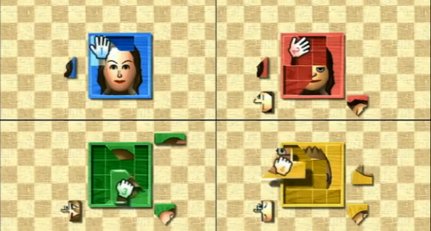
Overview
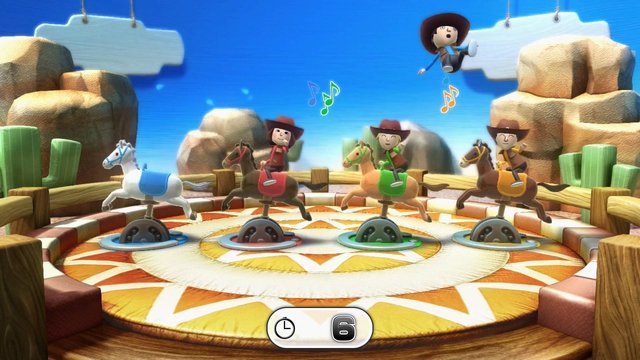
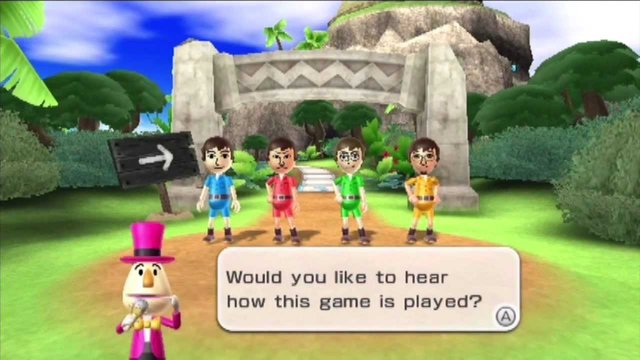
Wii Party Recomp is a native port of Wii Party for Windows, with an experimental Linux version, made by static recompilation with its own PowerPC and DSP recompilers. The game’s code, including its audio microcode, is translated to C++, while the console hardware is reimplemented underneath, with graphics through Direct3D 11 on Windows and OpenGL on Linux. No game files are shipped: the launcher builds the game from your disc on your PC.
It runs at a locked 60 fps at up to six times the original resolution. Up to four gamepads act as Wii Remotes with gyro pointer, motion and rumble, and a keyboard and mouse also work. It has an in-game options menu, key bindings, save backups and custom textures.
It is an alpha, about 84 percent complete by its own estimate. Board Game Island and every Free Play minigame have been played through, but other modes have not been fully tested and real Wii Remotes are not supported yet. The download contains no game data. It needs Wii Party, dumped from your own disc.
How to Set It Up
- Download
wiipartyrecomp-launcher.exefor Windows, or the AppImage for Linux. The Linux build is experimental and needs the build packages listed in the README. - Open the launcher, check the install folder, choose your disc image and press Install.
- The launcher builds the game on your PC. It takes about 10 minutes on a 6-core processor and needs about 5 GB. It downloads the build tools unless you use the offline pack from the same release.
- Press Play when it finishes. F10 opens the options menu in the game.