
Star Successor Recompiled
PC port of Sin and Punishment: Star Successor
- RecompilationPort Type
- VininhosannZXDeveloper
- 25 Nov 2026Page Updated
Details
- Developer
- VininhosannZX
- Port Type
- RecompilationA tool translated the game's original machine code into C automatically, which was then built as a native PC program.
- AI Use
- AI-assistedThe project says: “This project was developed by VininhosannZX with assistance from OpenAI's ChatGPT for code generation, debugging, documentation and test planning.” Source
- Logo
- AI-made fan logo, free to use · Full size
- Source Code
- GitHub
- Page Updated
Platform Support
- Windows
Screenshots
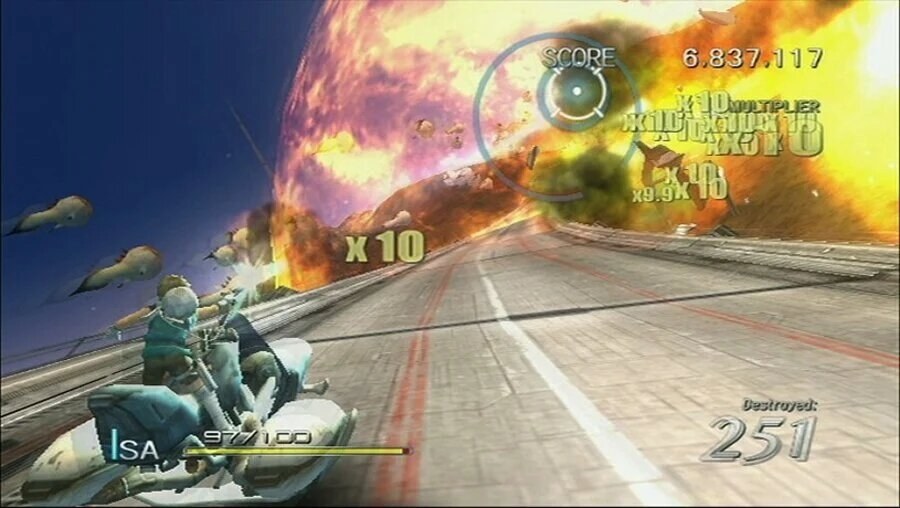
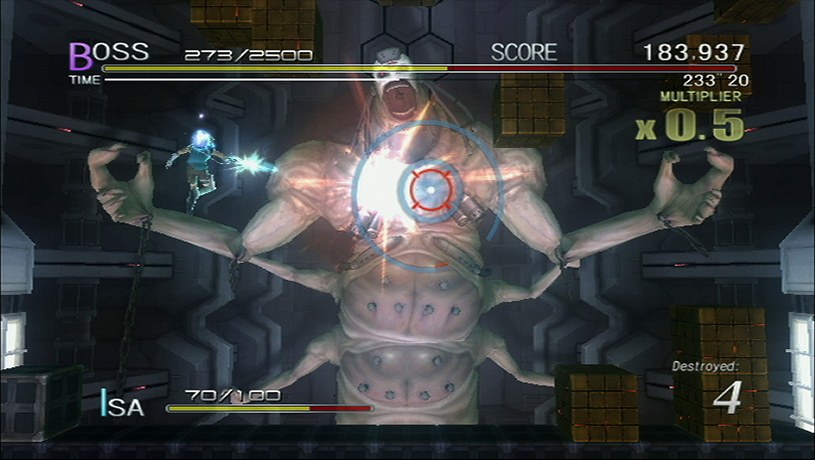
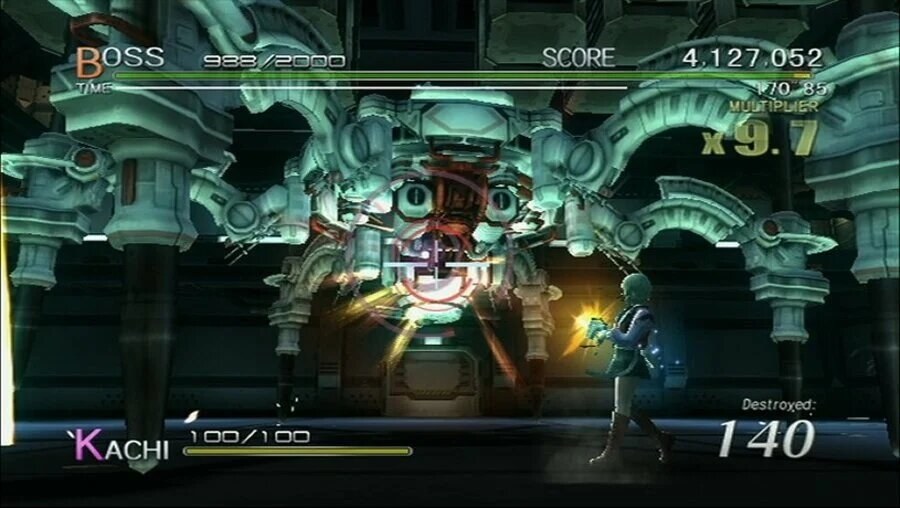
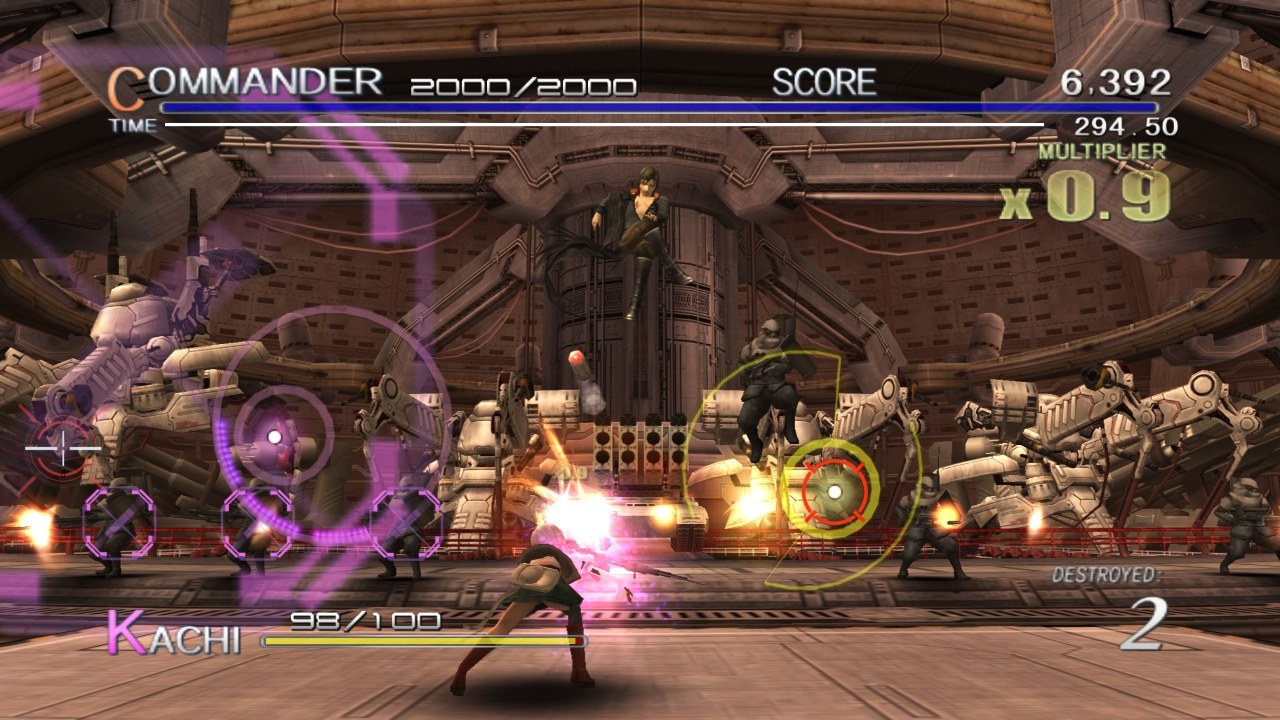
Overview
Star Successor Recompiled is an unofficial, experimental native Windows port of Sin and Punishment: Star Successor, Treasure’s 2009 rail shooter for the Wii. The game’s PowerPC code is translated ahead of time by the Wiicompiled static translator and compiled into a Windows program, with a runtime adapted from wiikit standing in for the Wii’s graphics, sound, input and system services. It is not a Dolphin front end.
It is an early milestone. Only the first stage has been tested, on one PC with an AMD Radeon graphics card; sound isn’t fully correct yet, 60 fps is the aim but hasn’t been measured, Intel integrated graphics show a black screen, and other graphics cards are untested. Some menus in the launcher and settings are in Portuguese.
The launcher sets the output resolution from 720p to 4K with a matching internal render scale, windowed or borderless fullscreen, a 30 fps presentation cap, VSync, nearest or smooth filtering and FXAA. The player aims with the mouse and moves with WASD, and twelve Wii Remote and Nunchuk actions can be remapped to keys or mouse buttons. The download contains no disc image, but its program does include the game’s recompiled code and data from its executable; the player’s own disc supplies the rest at first launch.
How to Set It Up
- Download the zip and extract all of it to a writable folder, keeping both programs together.
- Open
StarSuccessorLauncher.exe. It isn’t code-signed, so Windows may warn: choose More info, then Run anyway. - Pick your USA ISO or RVZ and wait for the first import; later launches reuse the imported data.
- Choose the resolution, frame rate cap and controls (starting at 1920x1080 in a window is recommended), save, and start the game. Esc opens the port’s settings in game and F11 switches to fullscreen.
Advertisement
Download Star Successor Recompiled
What's new in v0.3v0.3 Launcher Release
Experimental Windows x64 release based on the v20 milestone.
Changes in v0.3:
Launcher - You be able to change settings before the recomp starts.
Tested PC:
AMD Ryzen 5 5600 AMD Radeon RX 6750 XT 16 GB DDR4 RAM Windows 11 Known limitations:
Only the first stage has been tested. Audio is not 100% correct. Intel integrated graphics are currently unsupported. Stable 60 FPS and full-game compatibility are not verified. This release packages the original v20 executable without new fixes.
Download the .zip, extract it, and run StarSuccessorLauncher.exe.
9157fdf7f84b7612c1a6e94f344d6bd025d2c71aa98fb7320a6ef564c4f277ed
cca8609c97dda3c003bbd0991db8d7a89017eae7c38555cfc1bd47ff462b2205