
YW4 Recomp
PC port of Yo-kai Watch 4++
- RecompilationPort Type
- ILFforeverDeveloper
- 17 Nov 2026Page Updated
Details
- Developer
- ILFforever
- Port Type
- RecompilationA tool translated the game's original machine code into C automatically, which was then built as a native PC program.
- Game
- Yo-kai Watch 4++
- AI Use
- Mostly AI-builtThe project says: “Claude (Anthropic's model, used through Claude Code) wrote most of this repository.” Source
- Logo
- AI-made fan logo, free to use · Full size
- Source Code
- GitHub
- Original Release
- ilfforever.github.io
- Support the Developer
- Buy Me a Coffee
- Page Updated
Platform Support
- Windows
- Linux
Screenshots
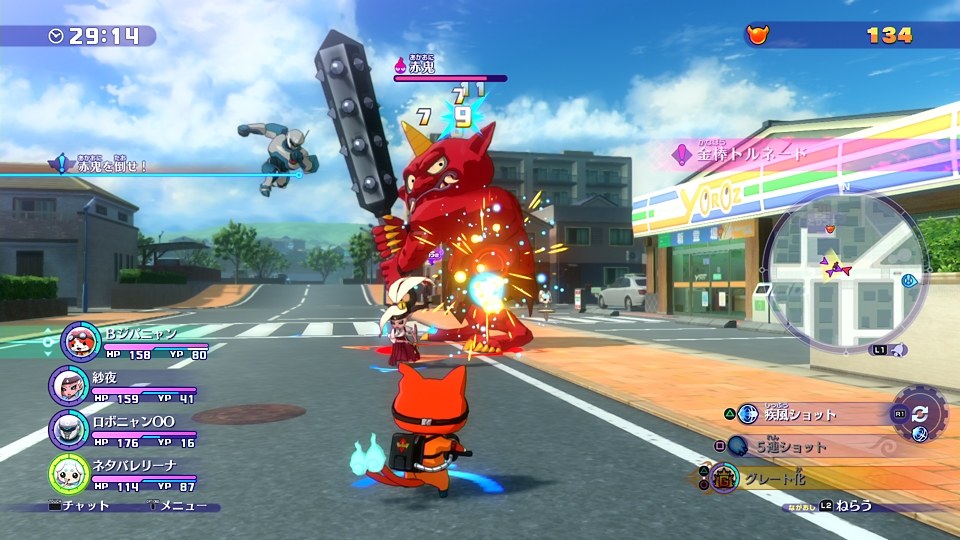
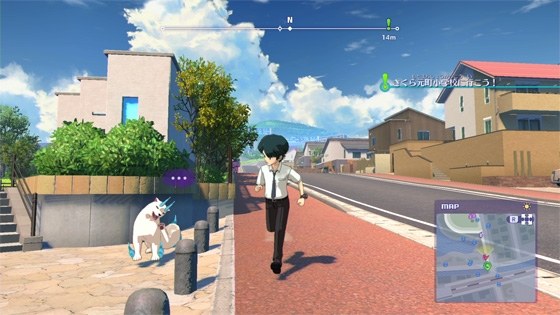
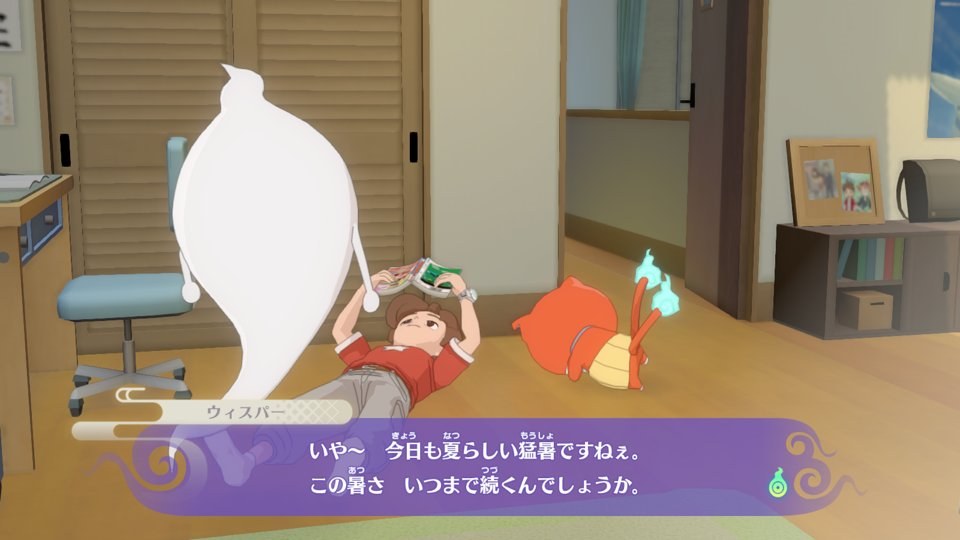
prod.keys, plus title.keys for an NSP) or as extracted folders; DLC optional. 64-bit Windows or Linux, a graphics card with Vulkan 1.3, and about 21 GB of free space while it builds (about 11 GB once installed).Overview
YW4 Recomp is an unofficial static recompilation of Yo-kai Watch 4++, the final 2.2.0 release of Level-5’s Japanese Nintendo Switch game, into a native program for Windows and Linux. In the manner of N64Recomp, the download holds only the launcher: it takes the player’s own dump, checks it, translates the game’s ARM64 code to C and compiles it on their computer. A runtime of its own stands in for the Switch’s system services and draws the game’s NVN graphics through Vulkan, with no emulator code linked, and the game’s own renderer is being replaced pass by pass so that its look can go beyond the original.
Already in are a 3D view at up to 4K with menus and text kept sharp, 16:10, 21:9 and 32:9 screens with the interface held at 16:9 in the middle, larger shadow maps with soft PCSS and contact shadows, FXAA, SMAA and TAA, 16x texture filtering and frame rates of 60, 120, 144 or unlimited. NVIDIA DLSS and AMD FSR add upscaling and frame generation. Keyboard, mouse and controllers can all be rebound, and an in-game overlay holds the settings, a performance display, screenshots, five diary save slots and a couple of cheats.
The launcher also manages mods laid over the game files in the Switch’s own layout, such as the fan English translation, and merges mods that change the same file. The developer calls it playable but unfinished: it has been tested from the opening through the first town and from late-game saves, while most of the story in between has not been played, so missing effects and crashes are still expected there.
How to Set It Up
- On Windows, run the launcher setup, or extract the portable zip anywhere; on Linux, make the AppImage executable and run it.
- Point the launcher at your game files (NSP, XCI or extracted folders). It checks them against version 2.2.0.
- Let it build the game on your PC once, which takes about 10 to 15 minutes. It then opens on Play.
- Game updates arrive through the launcher’s Update button, so there is no need to download them here. The game is in Japanese; the fan English translation can be added as a mod from the launcher’s Mods tab.
- If shadows look broken, press Escape, open Settings, Advanced, Developer options and set SHADOW PASS to GAME.
Advertisement
Download YW4 Recomp
Enjoying ILFforever's work? You can support them on Buy Me a Coffee.
What's new in v1.2.0YW4 Recomp Launcher 1.2.0
A launcher update: a Cheats card, and Linux fixes. The game itself is updated separately (game 1.3.0): press Update on the Play screen to get it.
What’s new
- Cheats card. Settings has a new Cheats card under Playing. Its switch shows or hides the game’s Cheats page (in the overlay, Escape). Manage lists the cheats, for now Unlimited Crank-a-kai, and turns each one on or off. It’s the same setting as the game’s own Cheats page, so the last change wins. Close the game to change them here.
On Linux (experimental)
- The launcher runs on Linux as an AppImage, attached to this release. It was checked in WSL only (no real Linux desktop yet); if it fails on your system, please report a bug with your log. You can still build from source.
- Upscaling and frame generation. The launcher offers AMD FSR (upscaling and frame generation) and NVIDIA DLSS (upscaling only), as on Windows. Tried only on software rendering so far; we’d love reports from real Linux graphics cards.
- Build works from the AppImage (#13). Build stopped at 0% with “No module named ’encodings’”: the AppImage’s own settings reached the programs it started. They now start with your normal settings.
- The icon and banner show (#13). The game’s icon, and the banner made from it, were missing on Linux. They appear after a rebuild.
- FSR builds inside your copy of the project (#12). When the build folder was inside your project folder, AMD FSR failed to build and the game was built without it. It builds now, with GCC or Clang.
Found a bug? Use Report a bug in the launcher or in the game’s overlay.
a758f665a1210ef9884c534defc0865e0ee3abdbb02d77cbec6c50426b3a6ec4
8897fca65de4931e16da519bf9d50c09d1bfcc397f61f61e11590f8148dd3fc0
0ebc4ad71499a406fe7389a367d25f4793c7df4de90e5232ae84e98ed150d69f