SuperMarioWorldRecomp
PC port of Super Mario World
- RecompilationPort Type
- mstanDeveloper
- 8 Nov 2026Page Updated
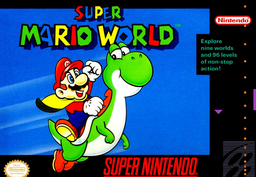
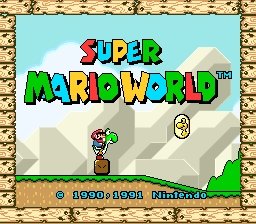
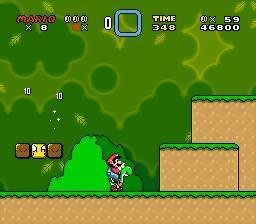
Overview
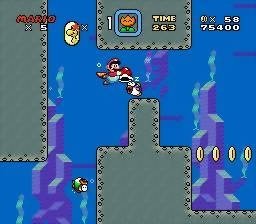
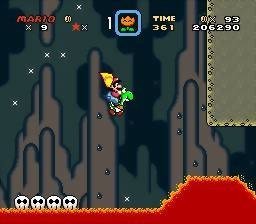
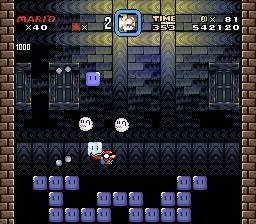
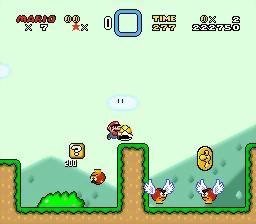
SuperMarioWorldRecomp is a native port of Super Mario World for Windows and Linux, made by static recompilation with mstan’s snesrecomp. The game’s 65816 code is translated to C, while the SNES graphics, sound and DMA hardware run through snesrecomp’s LakeSnes-derived runtime.
A launcher sets up controls and mods: an adaptive widescreen renderer with fixed ratios up to 100:9, a separate simultaneous co-op build, optional Lua scripting, and a Captain Falcon mod that builds its assets from your own copy of Super Smash Bros. The author says AI tools were used heavily in making it.
The author calls these in-development previews. Worlds 1 and 2 have been checked end to end and the rest are expected to play the same. The download contains no game data. It needs Super Mario World (USA), dumped from your own cartridge.
How to Set It Up
- Download the Windows zip or the Linux AppImage. Extract the zip, or make the AppImage executable.
- Run
SuperMarioWorldSNESRecomp.exeor the AppImage and pick your ROM when asked. The path is remembered. - Enable widescreen and other extras on the launcher’s Mods page.
- Remap keys in
keybinds.ini, which is created next to the program on first run.
Advertisement
Download SuperMarioWorldRecomp
What's new in v0.15.7v0.15.7 — Native co-op diagnostics
Adds optional playtest recordings for local Super Mario World sessions, including native simultaneous co-op.
- Enable SMW Playtest Diagnostics → Diagnostic recording on the launcher’s Mods page. Recording is off by default.
- Captures include controller inputs, machine checkpoints, effective mods/settings, build and ROM identity, and frame checksums. The included developer replay helper uses an isolated profile and rejects incompatible or damaged captures.
- Updates the snesrecomp engine pin to
ccfc12996df05ee0ffab7cdd82b1e1d78c64481c. - Fresh installations enable adaptive widescreen with Fit to screen and Screen-based spawning. Existing saved mod choices remain authoritative.
- Scripted and headless runs fail with a logged ROM-selection error instead of opening native file dialogs.
Sending a diagnostic recording
- Enable SMW Playtest Diagnostics → Diagnostic recording in Mods. Disable run-ahead while recording.
- Start a fresh play session and reproduce the problem with the relevant gameplay mods and settings.
- Quit normally if possible. Zip all files beginning
smw-replay-inlogs/beside the executable or AppImage, including the.replay,.sav,.config.ini,.mods.tomland.mods.txtfiles. Include the crash report if one was generated. - Attach the ZIP and your reproduction steps to the issue. A short clip helps identify visual or timing problems. Do not include ROM files.
Recording retains a bounded recent history and uses a background writer. An abrupt crash can lose the buffered tail. Offline playback requires the exact matching release, platform and ROM; online rollback sessions are outside this diagnostic replay contract. This release adds evidence collection and does not establish that an intermittent reported crash is fixed.
Downloads and upgrading
- Windows: extract the complete ZIP and run
SuperMarioWorldSNESRecomp.exe. - Linux: make the AppImage executable and run it. A Super Mario World (USA) ROM placed beside the AppImage is detected automatically; normal interactive launch also supports choosing it.
- Supply your own Super Mario World (USA) ROM. No ROM is included.
- To preserve an existing installation, keep
saves/,config.ini,keybinds.ini, andmods/preloaded/state.toml. Extract into a new folder before copying your existing files across.
Validation
Both extracted platform packages completed audio-enabled native co-op runs and replayed all five independently loadable recording segments with matching frame checksums. Current-build save/load, fresh widescreen defaults, preservation of an explicit disabled widescreen choice, 100:9 recording/playback, and rejection of truncated, wrong-build and damaged recordings were checked. Windows packaging verifies its x64 DLL dependency closure; Linux packaging verifies portable state paths and preservation of user files. Interactive Steam Deck hardware testing is not part of these headless checks.
a7a103810dac35e4bba7365cf948fe68a16b0ee244c949d45eaa2cafa74f4e74
726c6eecf96192ef3cc9034de425c270f055e03fc287cd0c1227cc025f34e05b
d0546f8b86f619e3f45402563f15dd8f1eea165d75372473f711fd136af4bc02