DKC1Recomp
PC port of Donkey Kong Country
- RecompilationPort Type
- elliotttateDeveloper
- 30 Sep 2026Page Updated

Details
Platform Support
- Windows
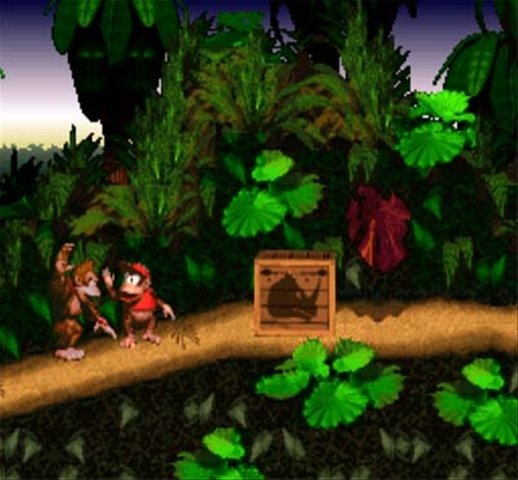
Screenshots


Overview
DKC1Recomp is a native Windows port of Donkey Kong Country, made by static recompilation with a fork of snesrecomp. All of the game’s code is generated as C, using the function and jump-table information from a public disassembly, while the SNES graphics and sound hardware are emulated.
It has an opt-in 16:9 widescreen mode, CRT and reconstruction filters, remappable controls, an Assist menu and music options, and an optional Dixie Kong Country variant. The latest release adds Direct3D 11 output with optional frame generation for smoother motion, and Candy’s in-game saves persist between launches. Files in the repository show it was developed with the AI tool Claude.
The author calls it a playable bring-up. There is also a macOS build with a first-level HD texture preview, which is not mirrored here. The download contains no game data. It needs Donkey Kong Country (USA) v1.0, dumped from your own cartridge.
How to Set It Up
- Download the Windows zip and extract the whole folder.
- Run
DKC1Recomp.exeand pick your ROM when asked. It is checked and remembered. - Press Escape for the settings panel: graphics, CRT, controls, Assist and mods.
- Optional: enable the Dixie Kong Country variant from the Mods page.