
Phantom Hourglass Recomp
PC port of The Legend of Zelda: Phantom Hourglass
- RecompilationPort Type
- dguillot-ghDeveloper
- 25 Nov 2026Page Updated
Details
- Developer
- dguillot-gh
- Port Type
- RecompilationA tool translated the game's original machine code into C automatically, which was then built as a native PC program.
- AI Use
- AI-assistedAn AI coding tool is credited as co-author on 47 of the repository's 106 commits. Source
- Logo
- AI-made fan logo, free to use · Full size
- Source Code
- GitHub
- Page Updated
Platform Support
- Windows
- Android
Screenshots
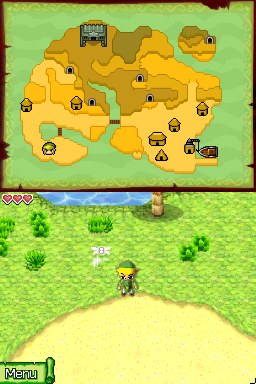
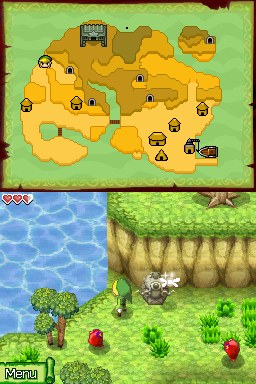
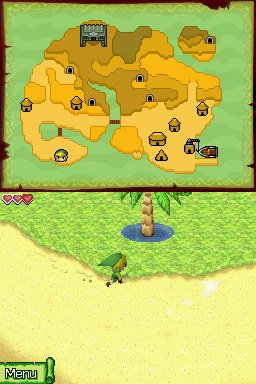
Overview
Phantom Hourglass Recomp is an unofficial port of The Legend of Zelda: Phantom Hourglass, Nintendo’s 2007 Nintendo DS adventure, to Windows and Android. Instead of being emulated, the game’s ARM9 code is statically recompiled to C and compiled ahead of time, with melonDS providing the rest of the DS hardware.
The downloads contain only the program. On its first run it builds the game from the player’s own USA or European ROM, on their own PC or phone, so nothing from the game is downloaded; the builds people make themselves contain the game and are not to be shared.
It renders with software, OpenGL or compute at up to 8x on a PC and 4x on Android, in 16:9 or 21:9 widescreen, with dialogue drawn as HD text. It keeps 67 offline achievements with a trophy viewer, twelve save-state slots, a language selector, touch, keyboard and gamepad controls with analog movement and microphone buttons, and checkpoints for every floor reached in the Temple of the Ocean King. On Android the on-screen controls can be moved, both screens can be stacked in portrait and the other screen appears as a minimap.
How to Set It Up
- Windows: download
PhantomHourglass.exe, run it and select your ROM. The game is built on your PC from it once, in about a minute. - Android: install
PhantomHourglass.apk, open it and choose your ROM; it builds the game on the phone. Later versions install over it and keep your saves. - With a clean dump, turn on Analog stick in the menu to move Link with a stick; the D-pad moves him only on a D-pad patched dump for now.
Advertisement
Download Phantom Hourglass Recomp
What's new in v0.1.1
What’s Changed
- Feature/pc setup by @dguillot-gh in
- README: Download and play, and the clean-dump D-pad note by @dguillot-gh in
52c3736958b31dbbdf862782852618776869fee5b884d36730286a3fcf4cffd7
17e3c7fe17b59a15753af171df7fce3449e4969eeb1d165d0a8ce4acb8be539c