eidos
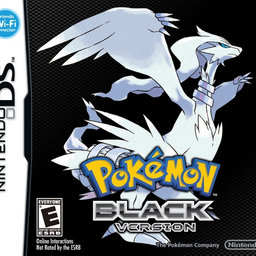
PC port of Pokémon Black and White
- DecompilationPort Type
- Project HolonDeveloper
- 2 Nov 2026Page Updated
Details
- Developer
- Project Holon
- Port Type
- DecompilationThe game's code was rewritten by hand as source code that builds back into the same game, then made to run natively on PC.
- AI Use
- Not statedThe developers haven't said whether they used AI.
- Source Code
- GitHub
- Page Updated
Platform Support
- Windows
- Linux
- macOS
Screenshots
Overview
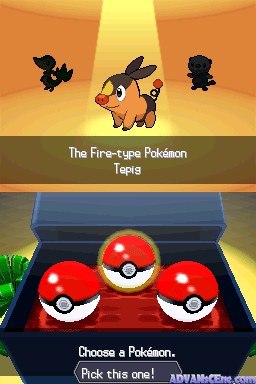
eidos is a native PC port of Pokémon Black, built from the aletheia decompilation by the same group. It compiles the game’s own decompiled C and runs it natively rather than emulating the DS, and it reads all of the game’s data from the player’s own ROM.
It is early. The game plays from the title screen into its opening hours, with new games, the first battles, the field menu, saving and continuing, but crashes after that are still expected, and graphical issues and inconsistencies too. Multiplayer beyond syncing positions, hosting and lobbies is experimental.
The game can show in one widescreen window with its own interface for the field, menus and apps, or as the DS’s two screens. Remastered battles take place on the real map where the player is, with the camera placed by hand at about 150 spots, and 3D is drawn on the GPU at a higher resolution. Text can be instant, the game can be fast-forwarded, keyboard and gamepad are remappable, and a mod loader is included.
How to Set It Up
- Download the build for your system and extract it (on Linux, make the AppImage executable). The project’s own launcher, which installs and updates the game, is on its releases page.
- Start eidos. Windows may warn about an unsigned program: choose More info, then Run anyway. On macOS, follow
READ ME FIRST.txtonce. - Choose your own Pokémon Black or White ROM. The game data is read from it.
- The port’s settings are in the game’s own Options screen. Tab fast-forwards at 2x, left Shift+Tab as fast as the computer can.
Advertisement
Download eidos
What's new in v0.1.9eidos 0.1.9
What’s new in 0.1.9
Bug Fixes
- Saves: Fixed title screen failing to display existing saves after quitting an unsaved New Game; the menu now properly selects the last-played save (#10).
- One-Screen UI: Fixed naming keyboard rendering behind the Multiplayer screen and softlocking input (#9).
- Keyboard Navigation: Fixed one-screen keyboard D-pad/arrow controls using original DS key coordinates instead of matching the visible layout (#7).
Download
| File | |
|---|---|
eidos-launcher-windows-setup.exe | Windows: the launcher. It installs and updates eidos and keeps your profiles and mods. Start here. |
eidos-launcher-macos.dmg | macOS (Apple silicon): the launcher. Not signed by Apple: open READ ME FIRST.txt inside it for the one Terminal line it needs. |
eidos-launcher-linux-x86_64.AppImage | Linux: the launcher. Make it executable and run it. |
eidos-0.1.9-windows.zip | Windows: eidos on its own. Unzip it anywhere and run eidos.exe. |
eidos-0.1.9-macos.zip | macOS (Apple silicon): eidos on its own. Not signed by Apple: README.txt inside it has the one Terminal line it needs. |
eidos-0.1.9-linux-x86_64.AppImage | Linux: eidos on its own. Make it executable and run it. |
On the first start, eidos asks for your own Pokemon Black or White ROM. SHA256SUMS lists the checksum of each file; latest.json and the .app.tar.gz are for the launcher’s own updates.
eidos is an unofficial fan project, not affiliated with or endorsed by Nintendo, Game Freak, Creatures Inc. or The Pokemon Company. It contains no game data: you need your own copy of Pokemon Black or White. Pokemon and Nintendo DS are trademarks of their respective owners.
cc0d919cfcf970a282415ced98b9f5c3ec9342441d5fd9133826664f7bad87e1
f35a4a30b545f6e686c5281d0199e268bcd37718321c5556e14c1a5fac64c1d3
8fb07de8c443f39db8e90fdc30fb08fb0349e45099b23bdc197313f165a6c192