Snap64 Recomp
PC port of Pokémon Snap
- RecompilationPort Type
- JackandBeansDeveloper
- 17 Oct 2026Page Updated
Details
- Developer
- JackandBeans
- Port Type
- RecompilationA tool translated the game's original machine code into C automatically, which was then built as a native PC program.
- Game
- Pokémon Snap
- AI Use
- Mostly AI-builtThe project says: “I made this port with Claude Code, an AI coding tool.” Source
- Source Code
- GitHub
- Page Updated
Platform Support
- Windows
- Linux
- macOS
ScreenshotsView All (6)




.z64, .v64 and .n64 files all work.SHA-1 of a correct dump:
edc7c49cc568c045fe48be0d18011c30f393cbafOverview
WidescreenHigh Frame RateGyro AimingFast Forward
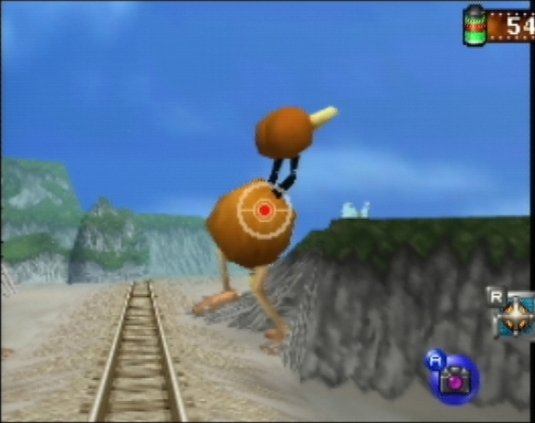
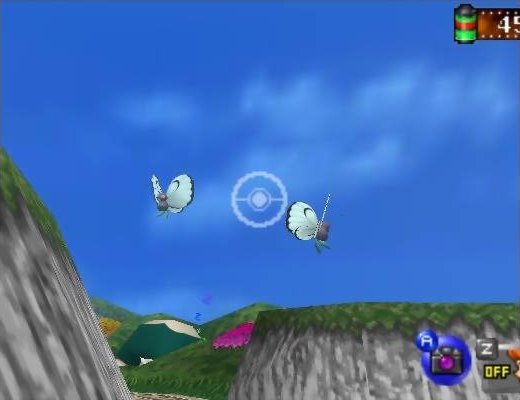
Snap64 Recomp is a native PC port of Pokémon Snap for Windows, Linux, the Steam Deck and macOS. It is made with N64: Recompiled, which translates the game’s own code so it runs directly on a PC, and draws the game with RT64.
Out of the box it plays like the cartridge. Widescreen, higher frame rates, mouse and gyro aiming, button rebinding, fast forward, photo export and the Snap Station printer are all options in the game’s own Options screen, and each starts switched off.
The download contains no game data. It needs a ROM of the US release, dumped from your own cartridge.
How to Set It Up
- Extract the whole archive to a folder you can write to.
- Windows: start
Snap64Recomp.exe. If Windows shows “Windows protected your PC”, click “More info”, then “Run anyway”. - When it asks for your ROM, choose the file. It checks it and copies it next to the program as
pokemonsnap.z64(or put it there yourself with that name before starting). - The first start takes a little longer while it builds shaders for your GPU.
- macOS: move
Snap64Recomp.appanywhere and right-click it and choose Open the first time (on macOS 15, use Open Anyway in System Settings > Privacy & Security). - Settings are in the game’s own Options screen: press Esc, or Select on a controller.
Advertisement
Download Snap64 Recomp
Snap64 Recomp Archive
macOS
v1.1.4 ·
Download
Linux
v1.1.4 ·
Download
Windows
v1.1.4 ·
Download
macOS
v1.1.3 ·
Download
Linux
v1.1.3 ·
Download
Windows
v1.1.3 ·
Download
macOS
v1.1.2 ·
Download
Linux
v1.1.2 ·
Download
Windows
v1.1.2 ·
Download
macOS
v1.1.1 ·
Download
Linux
v1.1.1 ·
Download
Windows
v1.1.1 ·
Download
macOS
v1.1.0 ·
Download
Linux
v1.1.0 ·
Download
Windows
v1.1.0 ·
Download
Show all 15 older builds