
Knight of Lodis Recomp
PC port of Tactics Ogre: The Knight of Lodis
- RecompilationPort Type
- lucduboisDeveloper
- 21 Nov 2026Page Updated
Details
- Developer
- lucdubois
- Port Type
- RecompilationA tool translated the game's original machine code into C automatically, which was then built as a native PC program.
- AI Use
- AI-assistedAn AI coding tool is credited as co-author on 30 of the repository's 30 commits. Source
- Logo
- AI-made fan logo, free to use · Full size
- Source Code
- GitHub
- Page Updated
Platform Support
Screenshots
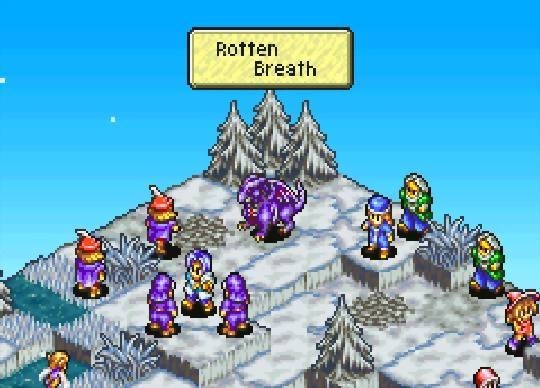
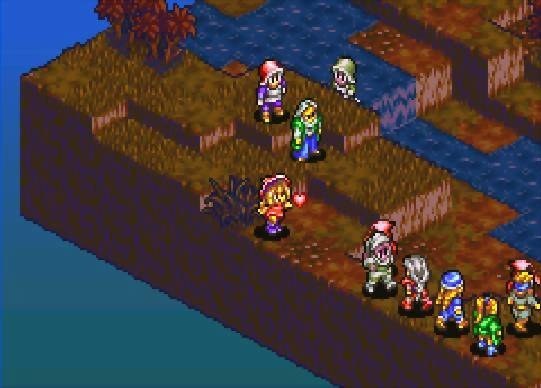
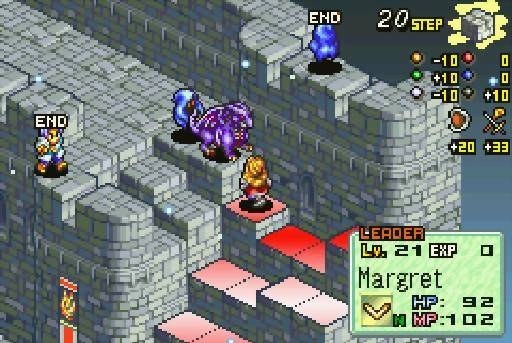
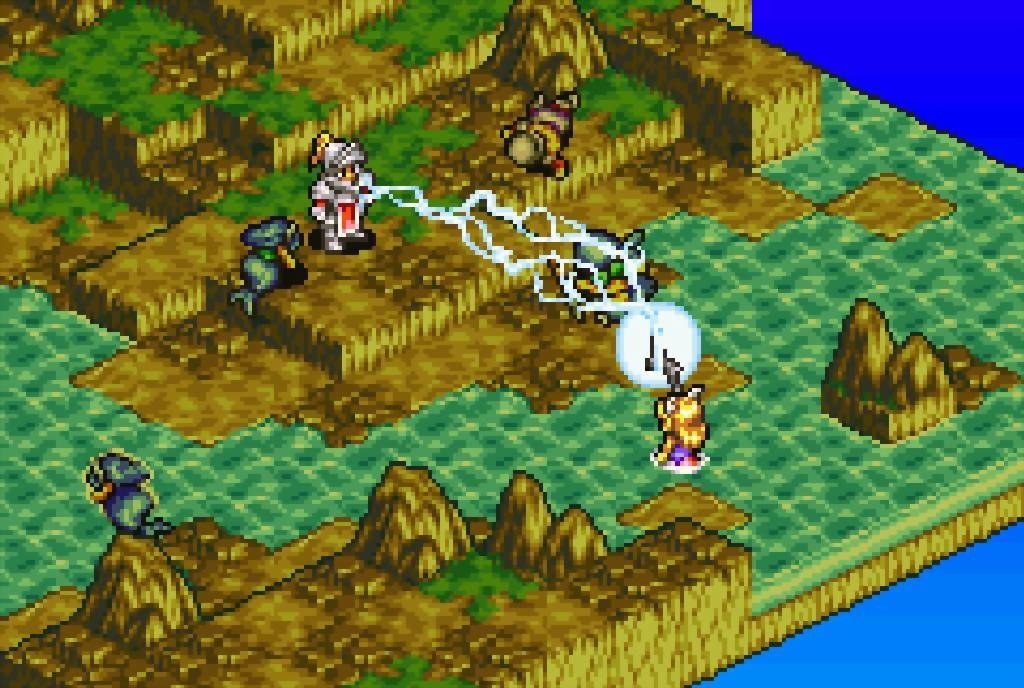
85a46320a31f16f5c6dda27fc094edd078dbe43d; the GBA BIOS is optional). Windows 10 or newer (64-bit), Linux with glibc 2.40 or newer (SteamOS 3.7, Fedora 41, Ubuntu 25.04, Debian 13 or newer), macOS 15 or newer on Apple Silicon, or Android 7 or newer on a 64-bit device.Overview
Knight of Lodis Recomp is lucdubois’s native port of Tactics Ogre: The Knight of Lodis, Quest’s 2001 Game Boy Advance tactical role-playing game, for Windows, Linux, the Steam Deck, macOS and Android. It is built on mstan’s gbarecomp: the game’s code is statically recompiled to C++ and runs natively, with the GBA’s own hardware behaviour underneath and optional enhancements on top. The Original preset plays the game as it was.
The enhancements include 16:9 widescreen at three resolutions, a battlefield with a 3D feel (camera, lighting, shadows, depth of field, rain and snow), a second screen for the unit sheet and army list on dual-screen handhelds such as the AYN Thor, a high-quality stereo re-render of the music with optional HD instruments, fast loading, numbered save states, rumble, RetroAchievements (softcore), touch controls on Android, optional cheats such as rewind, and IPS, UPS and BPS mods.
It plays on all four platforms, though the Windows build has so far been tested only under Wine, and the computer builds don’t yet have the dual-screen pages, touch menus or choosing a mod in game. The project is under the PolyForm Noncommercial licence. No ROM or BIOS comes with the downloads; it needs the player’s own copy of the US cartridge.
How to Set It Up
- Windows: extract the zip, keep the folder together and run
KnightOfLodisRecomp.exe(choose More info, then Run anyway if Windows warns you). - Linux and Steam Deck: make the AppImage executable and run it; on the Deck, add it to Steam as a non-Steam game.
- macOS: extract the zip and open Knight of Lodis Recomp.app. It isn’t notarized, so allow it in System Settings > Privacy & Security > Open Anyway.
- Android: install the APK.
- On first start, pick your ROM (and, if you like, a BIOS and a mod patch), then press Play.
Advertisement
Download Knight of Lodis Recomp
What's new in v1.1.1Knight of Lodis Recomp 1.1.1
A smaller update to 1.1: smoother busy scenes, steadier music on slower computers, and a Display page in the options on computers. As always, the game is not included: you need your own Tactics Ogre: The Knight of Lodis (USA) ROM.
Downloads
| You play on | Download |
|---|---|
| Android | KnightOfLodisRecomp.apk |
| Linux, Steam Deck | KnightOfLodisRecomp-1.1.1-x86_64.AppImage |
| macOS (Apple Silicon, macOS 15 or newer) | KnightOfLodisRecomp-1.1.1-macos-arm64.zip |
| Windows (64-bit, Windows 10 or newer) | KnightOfLodisRecomp-1.1.1-windows-x64.zip |
On Android, install this APK over the one you have. Do not uninstall first: uninstalling deletes your save and save states. Your save, save states, ROM and settings are kept.
On a computer, replace the old AppImage, app or folder with the new one. Your save, save states and settings are in their own folder and are kept.
What’s new everywhere
- Faster in busy scenes: the story scene with the sun setting in the rain, and the ship at night, ran slowly on some devices. The lighting and shadows now do much less work there, and the sunset’s shadows are prepared ahead of time instead of all at once.
- Lifted Props and Lifted Walls are back in the Enhanced preset. If you were on Enhanced and never changed a setting, you get them back automatically. If you changed your settings, nothing is touched; they are in Options > Graphics.
Computers
- Options > Display: play in a window or full screen, and choose the window’s size. The window’s size is separate from the game’s view size (Options > Graphics > View Size): the picture is fitted into the window. The sizes offered match your screen’s shape and fit on it. Your choice is remembered.
- Alt+Enter switches full screen again with a controller connected (it did nothing then, notably on Windows).
- Steadier music: on slower computers like the Steam Deck, a moment of heavy graphics work could slow the game and its music down. Now a late picture is skipped instead, and the game and the music keep their pace, as on Android.
Known limits
- The Windows build has still only been tested under Wine, not on a Windows PC. Please report anything that goes wrong.
- The macOS build is for Apple Silicon Macs only.
- The computer builds are not signed by Apple or Microsoft: see the 1.1 notes for how to open them the first time.
Saves and save states from 1.0, 1.0.1 and 1.1 work in 1.1.1.
2feacaff042b2f592d5e8233d05c1f6f3b921e00fe89c8bf29ae18b12814a5b2
abb489444c9a4373e6bf4b65cdcc6085001f093a07ead47b230fdb1bb4cdc111
62b6b818e6f3b2c9e4f069df6abc5517bd224ec504fed8502f0ebc4811daef00
b65825bf51657df4c41973b17615a2a3ae84ea00c8a6c7b8c0703af6f35f0cce
c0c578603597c77ed6d93961b928cfa3c9f12f1f65d8af457ee8c2f4e843e31b