The Simpsons Game Recompiled
PC port of The Simpsons Game
- RecompilationPort Type
- YesterMesterDeveloper
- 10 Oct 2026Page Updated

Details
- Developer
- YesterMester
- Port Type
- RecompilationA tool translated the game's original machine code into C automatically, which was then built as a native PC program.
- AI Use
- AI-assistedThe project says: “As things have become harder, I've used ChatGPT and Claude a handful of times to help with research, bug fixes and improvements, and to get closer to what I want this recomp to be.” Source
- Source Code
- GitHub
- Page Updated
Platform Support
- Windows
- Linux
ScreenshotsView All (5)


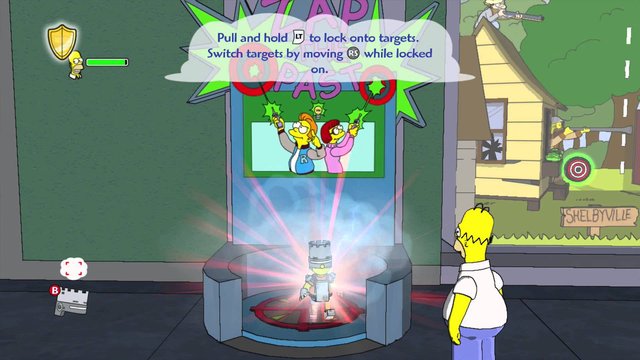
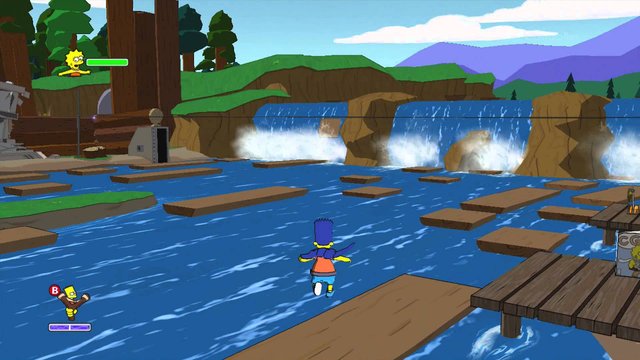

Overview
The Simpsons Game Recompiled is a native port of the Xbox 360 version of The Simpsons Game for Windows, Linux and Steam Deck, made by static recompilation with the ReXGlue runtime derived from Xenia. It uses Vulkan on Linux and Direct3D 12 or Vulkan on Windows.
It plays at 60 FPS while keeping menus and loading screens at the original 30, supports supersampling, anisotropic filtering and FXAA, and comes with a launcher that installs the game from your ISO, handles settings, patches and save backups, adds the game to Steam and updates itself. There are builds for CPUs without AVX2.
The game boots, saves and plays its levels; Linux and the Steam Deck are the main test platforms, and some scripted sequences can misbehave at 60 FPS. The author says parts were developed with the help of Claude AI. The download contains no game data. It needs an ISO of The Simpsons Game for Xbox 360, dumped from your own disc.
How to Set It Up
- Download the archive for your system; use a
-NoAVX2package if your CPU is older than 2013. - Extract it anywhere and start the launcher:
Play.shon Linux and Steam Deck,simpsons-launcher.exeon Windows. - In the Install tab, select your Xbox 360 ISO; the launcher extracts and installs the game data.
- Press Play. On Steam Deck, Add to Steam in the launcher lets you play from Game Mode.