SpeedBreaker
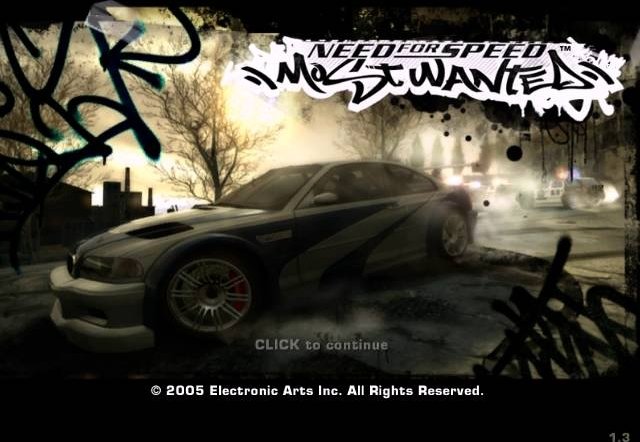
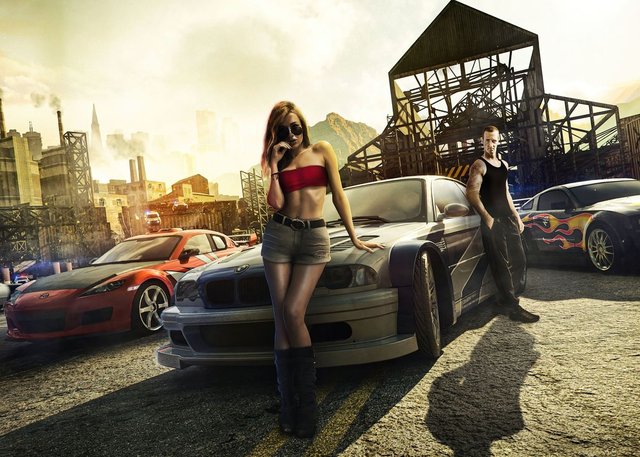
PC port of Need for Speed: Most Wanted
- RecompilationPort Type
- project(u)Developer
- 4 Nov 2026Page Updated
Details
Platform Support
Screenshots
Overview
SpeedBreaker is an unofficial static recompilation of the Xbox 360 version of Need for Speed: Most Wanted (2005) by project(u). It translates the Xbox 360 release’s PowerPC code ahead of time with XenonRecomp, following the approach of Unleashed Recompiled, and runs it as an ordinary program, not in an emulator. It installs only from the Xbox 360 disc, not the PC version, and its built-in installer checks a backup of the player’s own disc and verifies all 49 game files as it copies them. No game data ships with it.
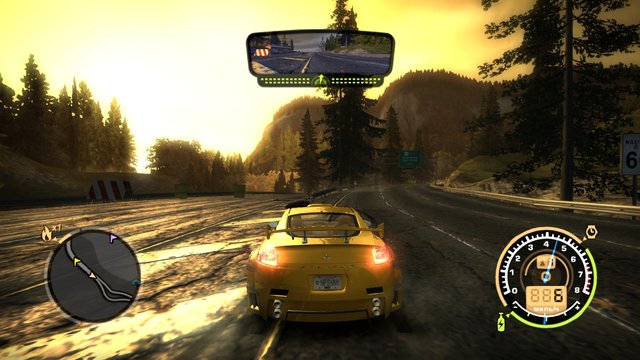
The 3D scene renders at up to three times the console’s 720p, which reaches 4K. Ultrawide screens get a wider view with the HUD and mirror kept in place, and taller screens such as the Steam Deck’s show more above and below. It runs at up to 60 fps, with an optional Smooth Motion mode drawing up to 120 fps on some Macs and Linux PCs, and adds two-player split screen, HDR, the console’s sun glare, FSR 1 upscaling, anisotropic filtering, sharper shadows, experimental USB steering wheels and a settings menu that pauses the game.
The USA disc and the European disc with Spanish movies and speech are supported, each with its own saves, and the game’s text can be shown in ten languages. Builds are released for the Steam Deck, Steam Machine and Linux PCs, the Steam Frame, Apple silicon Macs and, as an experimental IPA, iPhone and iPad; the Windows build is a beta that has been tested on few PCs so far. An Android version is planned.
How to Set It Up
- Download the build for your device. On SteamOS and Linux, unpack the archive to
~/Gamesand addspeedbreaker.shto Steam as a non-Steam game, with Proton off. On a Mac, open the disk image and drag SpeedBreaker into Applications. On Windows, extract the beta zip into a new folder. The iPhone and iPad IPA is sideloaded. - Put your disc image in Downloads (SpeedBreaker also looks in your home folder, Desktop, Documents, Games and USB drives).
- Start SpeedBreaker. The installer finds the image, checks it is a supported disc and copies and verifies every file. The disc image can be deleted afterwards.
- F1, Back + Start or a three-finger tap opens the settings. To update, unpack the new build over the old one; saves and settings are kept apart from the game.
Advertisement
Download SpeedBreaker
Windows Beta
What's new in v0.2.1-windows-beta.4SpeedBreaker v0.2.1 for Windows (beta 4)
SpeedBreaker v0.2.1 for Windows: beta 4
This is a beta. It’s Windows beta 3 with one change: the sun’s shadows take less work for the graphics card. The picture is the same. Nothing else is different from beta 3. Please try it and tell us how it runs, especially if you have an NVIDIA or AMD graphics card.
Download
SpeedBreaker-0.2.1-windows-x64-beta.zip, below, with its .sha256 checksum file. (It has the same file name
as beta 3’s zip; the checksum tells them apart.)
What’s new since beta 3
- Cheaper sun shadows. Every frame the game draws the sun’s shadow map and then copies it, twice, into a texture the scene reads. That copying was a big share of each frame’s work on the graphics card. Now the scene reads the shadow map directly and the copy is skipped when nothing else needs it. The Mac, iPhone and Android versions have worked this way since v0.2.0; now Windows does too.
- On our test laptop (Intel UHD Graphics 620, Core i5-10210U), in the same session as beta 3: the main menu went from about 31.4 to 36.8 fps, and a busy race from about 26.9 to 30.6 fps. The graphics chip spent about 4.5 ms less per frame on each (31 to 26 ms in the menu, 36 to 32 ms in the race). CPU use, power and temperature didn’t change. On a PC that already holds 60 fps you won’t see a higher frame rate, but the graphics card should be less busy (lower GPU usage).
- The picture is unchanged: the game checked every shadow map it drew this way against the old way, texel for texel, in the menu and in a race (no difference at all), and our screenshots of the same moments are identical to beta 3’s.
- NVIDIA and AMD cards aren’t measured yet. We expect a saving there too, but we don’t know how big. That’s what we’d like your help with (below).
That’s the only change. If your graphics driver can’t read the shadow map directly (the game checks once at start), it simply works as in beta 3.
If something looks or runs worse
You can turn the change off without going back to beta 3. Open a Command Prompt in the game’s folder and run
set NFSMW_SHADOW_DEFER=0
SpeedBreaker.exe
which draws the shadows exactly as beta 3 did. If that fixes it, please tell us (see the test below).
Help us measure: one test, two runs (about 5 minutes)
This beta draws the sun’s shadows with less work for the graphics card (the picture should be exactly the same). To see what it does on your PC, please run the same short test twice, once as it comes and once the old way, and send us both bug reports.
- Start the game normally. Go to the main menu and leave it there, without touching anything, for 1 minute. Then start a Quick Race (any track, but use the same one both times) and drive for 2 minutes.
- Still in the race, press F1 (Back + Start on a controller), go to Advanced, and choose Save Bug Report. Quit the game.
- Open a Command Prompt in the game’s folder and run:
Do exactly the same as in step 1 (the same menu minute, the same track, 2 minutes), then Save Bug Report again and quit.set NFSMW_SHADOW_DEFER=0 SpeedBreaker.exe - Attach both zips to one issue titled “Windows beta: shadow test”, with your graphics card, CPU, monitor refresh rate, and whether either run felt different (smoother, choppier, hotter, louder). If you can, also note the GPU usage % (Task Manager > Performance > GPU) in the menu in each run.
Keep every setting the same in both runs (don’t change Internal Resolution, Frame Rate or Shadow Resolution between them). Each zip holds the game’s logs for its last five sessions, with the frame rate and the GPU time every few seconds; nothing else is measured.
If the shadows look wrong in the first run (missing, flickering, blocky, shadow “acne”, black or white patches,
shadows in the wrong place) but right with NFSMW_SHADOW_DEFER=0: save a bug report while it’s on screen (it
…
fe8a499bca54d06dd439dcd7d407f5771bb0fca63ffb9fb357a67a1a8aebdea5
What's new in v0.2.1SpeedBreaker v0.2.1
What’s new
- HDR output (Settings > Display, off by default). On a Mac with an HDR display, on SteamOS and the Steam Deck OLED with HDR on, and on Linux and Windows PCs whose system is in HDR, the sun, headlights and lit signs go brighter than white while the rest of the picture stays as it was. HDR Strength sets how far (2x by default, up to 4x), and large bright areas such as tyre smoke are held back so they don’t glow as a flat blob. Implemented by @danielgpinheiro, from @DoubleDips’s idea (#25).
- Shadow Resolution (Settings > Graphics): the sun’s shadows at 1.5x or 2x for sharper edges, at some GPU time and memory. 1x, the default, is as on the Xbox 360. Thanks to krittinen (pull request #52).
- Cooler Colors (Settings > Display, off by default): a cooler picture with less of the game’s yellow. Thanks to Namiidev (pull request #50).
Fixed
- Black grass on AMD Radeon cards (#67, #54): distant grass on the roadside verges turned black on Radeon RX 6000 cards under Windows. The fix was made from testers’ reports and captures and hasn’t been run on an AMD card by us yet: if you still see it with Windows beta 3, please say so in #67.
- Anisotropic Filtering at 8x or 16x drew a light outline round dirt-road decals in shadow (#70).
- Building for iPhone and iPad no longer stops silently when the Spanish disc’s code isn’t built. Thanks to logicsandbox (pull request #72).
How to update
- Mac: drag the new SpeedBreaker into Applications and choose Replace, then allow it once more with Open Anyway (System Settings > Privacy & Security).
- Steam Deck, Steam Machine, Steam Frame and Linux: unpack the new download over the old folder (
~/Games/SpeedBreaker). Your Steam shortcut keeps working. - Everywhere: your saves, settings and the installed game are kept, and no disc image is needed.
More about it
- HDR uses the display’s extended range on a Mac (or HDR10, chosen with HDR Format) and HDR10 everywhere else, where the system offers it. HDR Paper White sets how bright ordinary white is in HDR10; Auto matches the system (100 nits on a Mac, 200 on Windows and Linux, 400 on SteamOS and the Steam Deck). The settings menu itself stays at standard brightness. Not on iPhone and iPad.
- The Spanish (PAL) disc now installs on iPhone and iPad too.
The full list of changes is in CHANGELOG.md.
Which file is for my device?
| Device | Download | Setup |
|---|---|---|
| Steam Deck, Steam Machine and Linux PCs (x86-64) | SpeedBreaker-steamos-x86_64.tar.xz | Steam Deck and Steam Machine, Linux |
| Steam Frame (arm64) | SpeedBreaker-steamos-arm64.tar.xz | Steam Frame |
| Mac with Apple silicon, macOS 15 or later | SpeedBreaker-macos.dmg | Mac |
| iPhone and iPad (experimental) | SpeedBreaker-0.2.1-ios.ipa, or build it yourself with Xcode | iPhone and iPad |
| Windows (beta) | SpeedBreaker-0.2.1-windows-x64-beta.zip, on its own v0.2.1 Windows beta 3 pre-release page | Windows (beta) |
| Android | Coming soon |
The two SteamOS files are not interchangeable: the arm64 one is for the Steam Frame only, and the
x86-64 one doesn’t run on the Frame. Each download has a .sha256 file next to it (see Checksums
below).
All downloads are built from this release’s source, commit 6cabdc7. The first line of the
game’s log, and Settings > Advanced, say SpeedBreaker v0.2.1 (6cabdc7).
The Source code archives that GitHub adds hold SpeedBreaker’s own source, with no game code or data. Building from them needs your own disc; see Building from source.
iPhone and iPad: the experimental IPA
SpeedBreaker-0.2.1-ios.ipa is signed by nobody: a sideloading tool such as AltStore signs it
with your own Apple Account and installs it. The IPA itself hasn’t been installed on a device
yet: the iPhones and iPad it was tested on ran the same app built and signed with Xcode. Please
…
52469e544294f03c4aac0e1ceeda00c739d3b25e8c58277dc125d9ec1814b44e
dca527d315459a315a303507433f8c1e712bc63031dfa482b0e0b4b718f50ab8
de7525b97eb327256106525e54b954de652fc18b3c2d1a72e366a4e14a314143
2244362daf95a24ef4aa59cbfb4d2f78a18f30f19381e5ae3fb736468228ecd2