Lost Odyssey Recomp
PC port of Lost Odyssey
- RecompilationPort Type
- freefrankDeveloper
- 19 Oct 2026Page Updated
Details
- Developer
- freefrank
- Port Type
- RecompilationA tool translated the game's original machine code into C automatically, which was then built as a native PC program.
- Game
- Lost Odyssey
- AI Use
- Mostly AI-builtThe project's AI workflow guide says one maintainer set the direction and playtested, while Claude Code and Codex did the implementation work. Source
- Source Code
- GitHub
- Page Updated
Platform Support
- Windows
- Linux
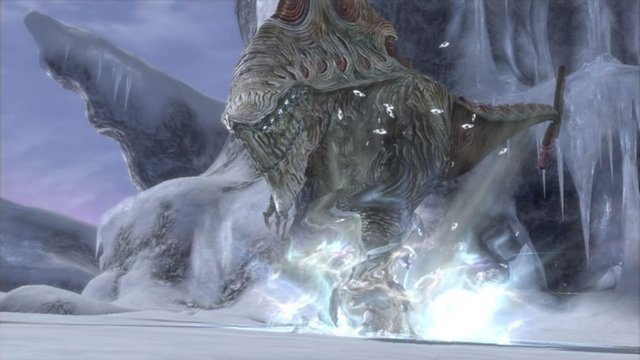
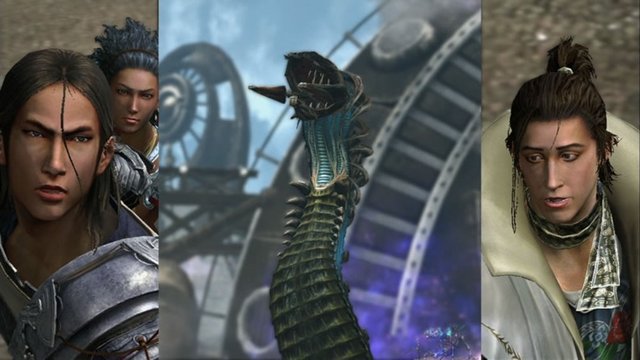
ScreenshotsView All (5)


Overview
Lost Odyssey Recomp is a native port of the Xbox 360 role-playing game Lost Odyssey for Windows and Linux, made by static recompilation with tools from Unleashed Recompiled and re:Blue. It runs on Direct3D 12 or Vulkan.
It adds 16:9 and 21:9 resolution presets, FXAA, SMAA and experimental TAA, DLSS or FSR 3.1 upscaling and frame generation on Windows, frame rate targets up to 120 FPS, an importer that handles all four discs and DLC, a mod API, and a debug menu with teleport, fast-forward and save-anywhere tools.
The author calls it early testing: opening areas and selected scenes have been tested, but no one has finished the game with it, and rendering and stability issues remain. Releases come out almost daily. The download contains no game data. It needs Lost Odyssey for Xbox 360, a matching four-disc set, dumped from your own copy.
How to Set It Up
- Download the Windows zip, the Linux AppImage, or the Linux Flatpak bundle (which needs the Freedesktop 26.08 runtime).
- Extract the whole zip to a writable folder and run
LostOdysseyRecomp.exe, orchmod +xthe AppImage and run it. - The importer opens on first launch: choose Files or Folder and select your extracted game folder,
default.xex, an ISO or GOD data. Disc 1 is needed to start. - Choose the languages and graphics options; the game starts after shader preparation.
- Add the other discs and DLC later under Gameplay, Import discs & DLC in the settings.