
Pinyon Shift
PC port of Forza Horizon
- RecompilationPort Type
- arcanite24Developer
- 20 Nov 2026Page Updated
Details
- Developer
- arcanite24
- Port Type
- RecompilationA tool translated the game's original machine code into C automatically, which was then built as a native PC program.
- Game
- Forza Horizon
- AI Use
- AI-assistedThe repository has CLAUDE.md, a file of instructions for AI coding tools. Source
- Source Code
- GitHub
- Page Updated
Platform Support
- Windows
ScreenshotsView All (5)

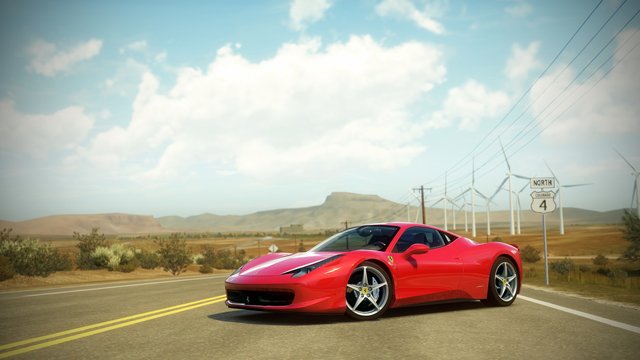
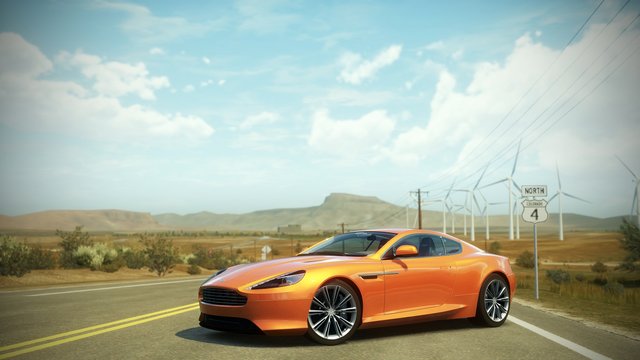
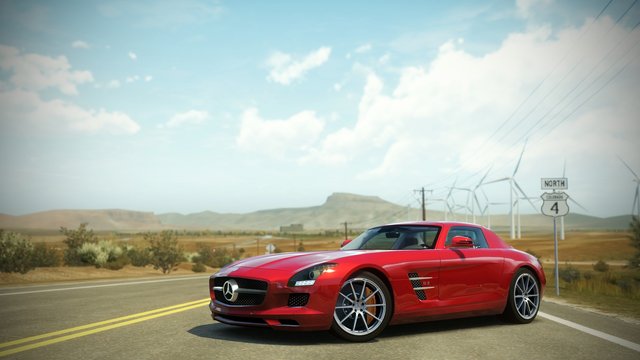
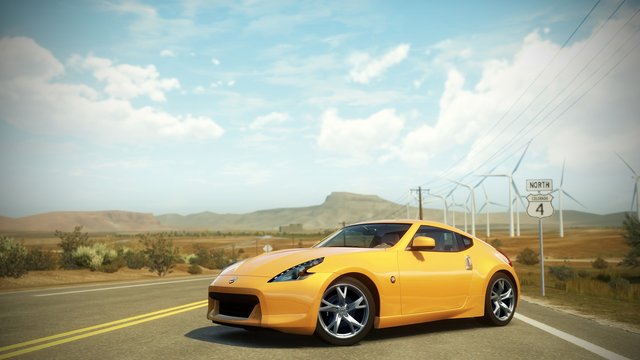
Overview
Pinyon Shift is a playable preview of a native port of the Xbox 360 version of Forza Horizon for Windows, made by static recompilation with ReXGlue. It is a build kit: the download holds only the launcher and source, and the launcher verifies your disc image, downloads the build tools and a pinned ReXGlue, and compiles the game on your PC. The first build can take 20 to 60 minutes.
The author calls it early, imperfect and surprisingly drivable. It needs Windows 10 or 11 and a Direct3D 12 GPU; a native renderer, other regions, ultrawide support, controller remapping and mods are on the roadmap. Crash reports can be sent from the launcher.
The download contains no game data. It needs Forza Horizon (USA base disc) as a disc image, dumped from your own disc.
How to Set It Up
- Download
PinyonShift-Launcher.zipand extract the two files to a folder. - Run
PinyonShift.Launcher.exeand select your disc image. - Confirm ownership and choose Verify & Build. The launcher installs the Windows build tools and compiles the game; the first build takes 20 to 60 minutes and needs about 25 GB of free space.
- Keep the launcher open while playing: it catches crashes and prepares a report.
Advertisement
Download Pinyon Shift
What's new in v0.9.5Pinyon Shift 0.9.5
Pinyon Shift 0.9.5
An experimental Direct3D 11 renderer for Windows PCs whose GPU has no Vulkan 1.3 driver.
Each launcher still builds the game on your machine from your own disc; none of the downloads contains the game. Older launchers offer this update from Update to 0.9.5; the game is built again after the update, and saves, settings and DLC stay where they are.
New
- Direct3D 11 fallback (experimental). On Windows, when no GPU has a
Vulkan 1.3 driver but one supports Direct3D feature level 11_0 (for
example AMD Radeon HD 5000-6000, Intel HD Graphics 2500/4000 to Iris
6200, or NVIDIA GeForce 400 to 700), the game starts on a new Direct3D 11 renderer instead
of stopping with “Graphics unavailable”. The launcher’s hardware line
shows “Direct3D 11 (experimental)”. The settings keep Vulkan, so a driver
update that adds Vulkan 1.3 switches back by itself. To try Direct3D 11
on any Windows GPU, start the game with
--gpu_backend=d3d11.
Known limitations
- Direct3D 11 runs at 1x resolution only, and is slower than Vulkan on the
same GPU (151 against 85 ms a frame on an Intel UHD 620 with the low-spec
preset). It has been tested on an RTX 4080, an Intel UHD 620 and a
GeForce 930MX, all of which also have Vulkan; it hasn’t run on a GPU that
has only Direct3D 11 yet. If it fails there, the message says so and
logs/runtime.login the game’s data folder names the step. - The limitations listed for 0.8.0 still apply.
6ecf1b85f22f5c31284bc22e76c79f5c08d397f9aa36cb58a8fd70bff1316af3
de264c3332249b297c32c6a501c7eabcdee4c54d6eaf1fca417486261b049fb7