
Dragon Ball Z: Burst Limit Recompiled
PC port of Dragon Ball Z: Burst Limit
- RecompilationPort Type
- iExplosiveRageDeveloper
- 26 Nov 2026Page Updated
Details
- Developer
- iExplosiveRage
- Port Type
- RecompilationA tool translated the game's original machine code into C automatically, which was then built as a native PC program.
- AI Use
- AI-assistedAn AI coding tool is credited as co-author on 33 of the repository's 35 commits. Source
- Logo
- AI-made fan logo, free to use · Full size
- Source Code
- GitHub
- Page Updated
Platform Support
- Windows
Screenshots
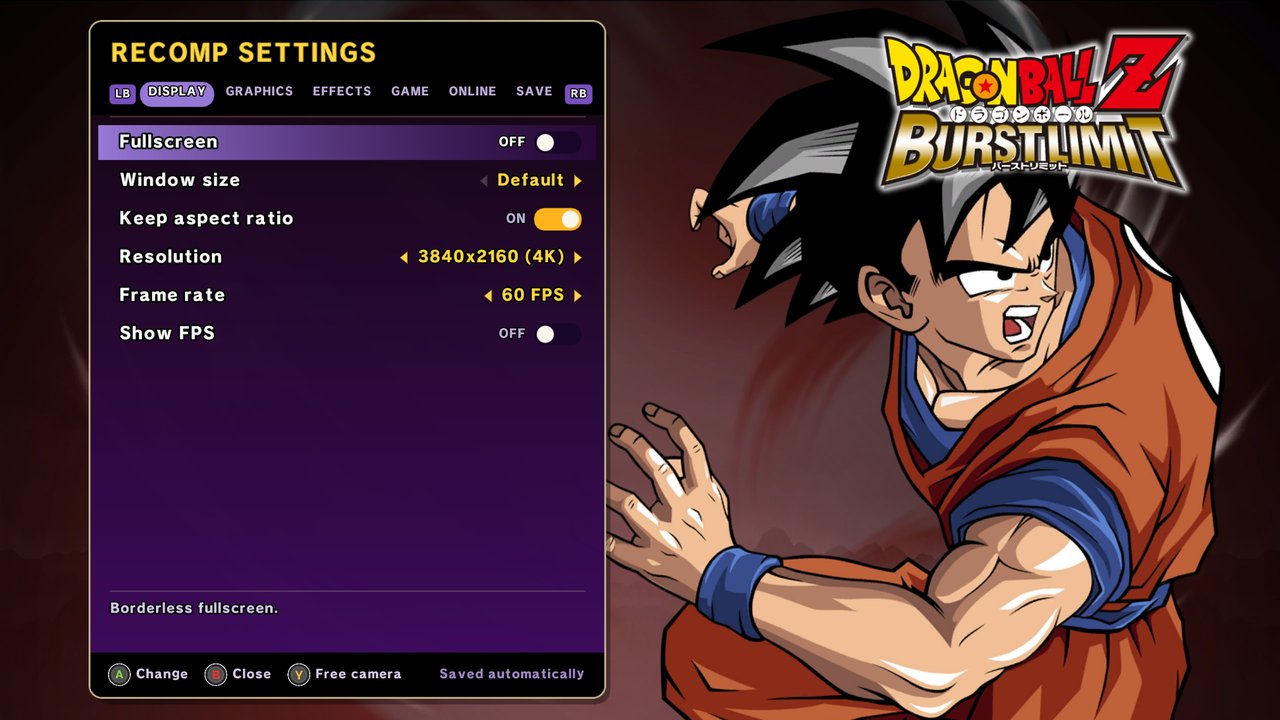
default.xex and the LONG2DATA folder, from your own disc.Overview
Dragon Ball Z: Burst Limit Recompiled is a native port of the Xbox 360 version of Dragon Ball Z: Burst Limit for Windows, made by static recompilation with ReXGlue and drawn with Direct3D 12.
It has an optional 60 fps patch, texture dumping and replacement, Discord Rich Presence, and online Player Matches over a LAN or Radmin VPN, with a patch that removes most of the original input delay. Keyboard controls are available with --mnk_mode=true. It is an alpha, and online play has only been tested over LAN and VPN.
The download contains no game data. It needs Dragon Ball Z: Burst Limit for Xbox 360, extracted from your own disc.
How to Set It Up
- Download
DBZ-Burst-Limit-Recompiled-*.zipand extract it anywhere. - Extract your game (for example with extract-xiso) and copy it into a
game_data_rootfolder inside it, so thatgame_data_root\default.xexandgame_data_root\LONG2DATAexist. - Run
burstlimit.exe. Settings such aspatch_60fpsare inburstlimit.tomlor can be passed on the command line. - For online play over LAN or Radmin VPN, both players use the same build and the scripts in
scripts.
Advertisement
Download Dragon Ball Z: Burst Limit Recompiled
What's new in v0.8.2v0.8.2 - Version 8.2 (stage transition fix)
Version 8.2 - Stage transition fix
Watch out
The rollback netcode is still a BETA - expect problems, online especially. If rollback gives you trouble, host a Player Match room with Netcode: Classic in the Room Rules (the online of 0.7.3). 0.7.3 is still on the Releases page.
- Stage transitions fixed (#33). When a big hit sends the fight to the stage’s aerial version (for example Namek -> the space above Namek with Frieza’s ship), 0.8.1 played the transition cinematic over and over, left the fighters floating above the old stage and started the next round on the ground. The transition works like the original game again, offline and online, and both PCs always go to the same aerial stage (before, it could depend on what each player had unlocked).
- New option: Stage transitions on / off. F1 > GAME > Stage transitions (
stage_transitions). Off = the fight stays on its stage and the hit is a normal hit. Online the host’s setting is used; Player Match hosts get a new Stage Transitions row in the Room Rules (the guest sees it in the rules box). - Online input delay back to Auto (once). A fixed number in
burstlimit.toml(for example"6"from an older setup) meant extra input lag in every rollback match - and the host’s value is used by both players. It is set to Auto once when you start 8.2; you can pick a number again afterwards (F1 > ONLINE > Online input delay). - Crash guard: the texture guard added in 8.1 now also skips bad texture pointers, not only empty ones. (A player’s crash record at this spot came from 0.8.0 beta; 8.1 already skips it instead of crashing.)
- Online: both players need 8.2 (rooms are version-locked - 0.8.1 players won’t see your rooms).
If something goes wrong, please open an issue with both players’ burstlimit.log (next to burstlimit.exe)
and, after a crash, burstlimit.log.hangraw.txt.
Install: press Update on the start screen, or download DBZ-Burst-Limit-Recompiled-v0.8.2.zip
(Windows) / -linux.zip (Linux / Steam Deck), extract it (over your old folder: “Replace”) and run
burstlimit.exe (Windows) or ./run_linux.sh (Linux).
d61d0df5010dd74316548023ba7fcb710d4b517129bbdbbedf7d79b09ecf2d2b
c9aa4559a9351373a4099424343f7425dbed3ef9468d39181c3d2adb3e98b6d8