Xerenge
PC port of Burnout Revenge
- RecompilationPort Type
- shipa-2Developer
- 1 Nov 2026Page Updated
Details
- Developer
- shipa-2
- Port Type
- RecompilationA tool translated the game's original machine code into C automatically, which was then built as a native PC program.
- Game
- Burnout Revenge
- AI Use
- AI-assistedAn AI coding tool is credited as co-author on 322 of the last 462 commits. Source
- Logo
- AI-made fan logo, free to use · Full size
- Source Code
- GitHub
- Page Updated
Platform Support
ScreenshotsView All (5)
Overview
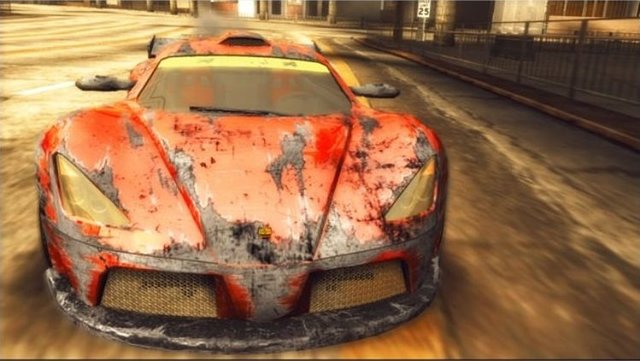
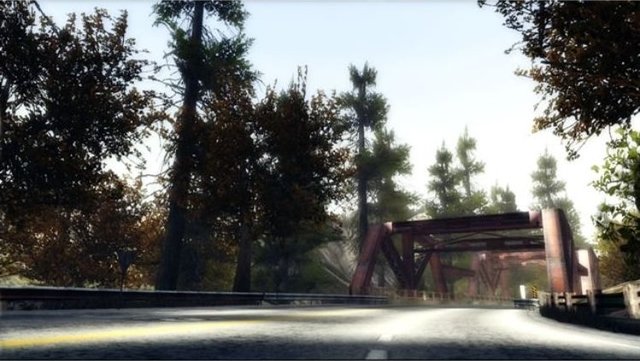
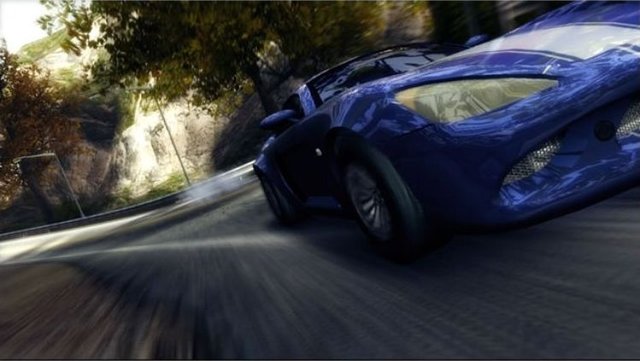
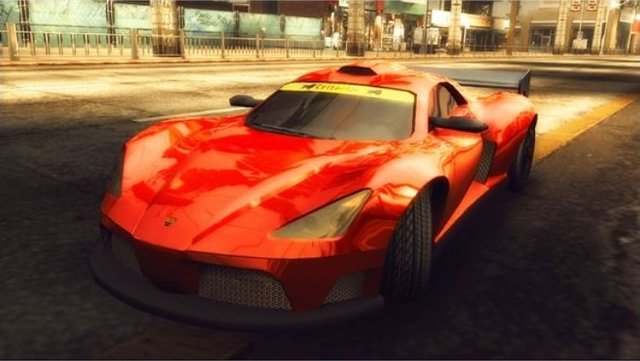
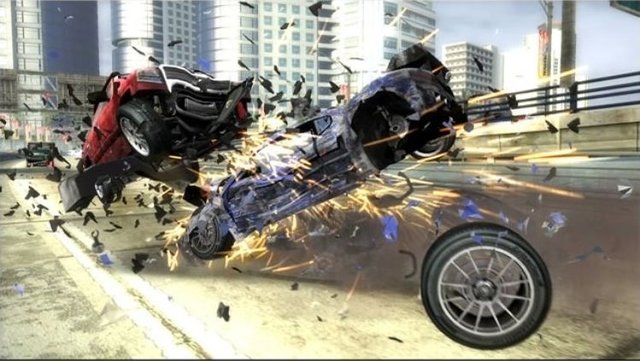
Xerenge, by shipa-2, runs Burnout Revenge, Criterion’s 2006 Xbox 360 racer, as a native program. The game’s PowerPC code is recompiled to C++ ahead of time with ReXGlue and linked into an executable, with the console’s hardware and system emulated around it, so there is no CPU interpreter or JIT. It sits alongside the other Burnout Revenge port on this page.
Both the European and US releases are supported and tested end to end, each built from its own disc. The game is fully playable: it boots, loads saves, and runs menus, races, Crash mode and replays at 60 FPS, with the full audio, licensed soundtrack and intro videos. It draws through plume, the project’s own Vulkan renderer, which takes the game’s Direct3D calls directly and uses shaders translated ahead of time from the player’s disc, so there is no shader stutter. Xenia’s renderer, through ReXGlue, is kept as an option for comparison.
The frame is drawn at the window’s resolution, with optional FXAA, SMAA and CAS sharpening, colour and brightness controls, a 30 FPS lock and frame generation for 90 to 120 Hz screens. Online play works out of the box through a lobby server standing in for EA’s. The desktop installers fetch the project’s code and build the game on the player’s computer from their own disc image, and an Android version runs on phones with Vulkan.
How to Set It Up
- Download the installer for your system: the Windows exe, the Linux AppImage, the macOS zip or the Android APK.
- Run the installer and choose your disc image, the install folder and the renderer, bloom and motion blur settings.
- The desktop installer checks and extracts the image, builds the recompiler and the game, translates the shaders and makes a shortcut. Nothing from the game is downloaded; it is all made from your disc.
- Start the game. Settings live in
xerenge.confand in the game under Driver Details, Settings.
Advertisement
Download Xerenge
What's new in v0.4.10
The game comes built: the installer only needs your own Burnout Revenge disc image (the European or the American release, see SETUP.md).
Windows: download Burnout_Revenge_Installer-win-amd64.exe and run it.
Linux: download Burnout_Revenge_Installer-x86_64.AppImage, then
chmod +x Burnout_Revenge_Installer-x86_64.AppImage
./Burnout_Revenge_Installer-x86_64.AppImage
Run the installer again over an installed copy to update it; your settings are kept.
Android (arm64, Adreno or Mali): install Burnout_Revenge-android-arm64.apk. It opens as the installer: pick your disc image. A Mesa Turnip driver .zip is optional, for Adreno phones whose own driver misbehaves. This release is signed with a fixed key: uninstall an earlier build once, and later ones install over it, keeping your saves.
macOS (Apple silicon): download Burnout_Revenge_Installer-macos-arm64.zip, unzip it and run the app inside. It puts Burnout Revenge.app in ~/Applications, so the game starts from Launchpad or Spotlight. The app is signed ad hoc, so macOS stops it the first time it is opened after a download; allow it under System Settings, Privacy & Security, Open Anyway. The installed game logs to ~/Library/Logs/xerenge-burnout/.
Russian (a mod): unzip Xerenge-mod-locale_rus.zip into the installed game’s game/mods/ and choose RUSSIAN in Driver Details > Settings > LANGUAGE. Its fonts are made at the first start from your own copy of the game; see MODDING.md to translate further or make a mod of your own.
Online play works out of the box - the installer points at the server (94639.snk.wtf), where everyone plays together; there is nothing to set up. An install from before the server is moved to it when the installer runs over it.
What’s new in 0.4.10:
- Split screen: each player’s view is drawn in its own half of the screen; before, the second player’s scene covered the first (GitHub #60). To play two at one PC on a keyboard and a pad, set
keyboard = trueandkeyboard_player = 2inxerenge.conf: the keyboard becomes player 2 and the pad stays player 1. - Online across networks: players behind different routers, on mobile internet or behind a VPN join each other’s games; the game looks at its own address again every few seconds, so a phone moving from Wi-Fi to mobile data keeps being reachable, and the server drops the old connection of a player who logs in again (GitHub #49, #67).
- Your own music, any size: the music folder is read in pages of 41 songs, turned with LB/RB in Song Manager (
[MY MUSIC 3/35]in its title);recursive_scan = truereads the folders inside it too, andmusic_dirinxerenge.confpoints at a folder of your choice. The chosen folder is in place from the first menu (GitHub #70). - LB goes back a song: wherever RB skips, LB restarts the song, or within its first three seconds goes to the one before (GitHub #55).
- Kilometres per hour: SPEED COUNTER (MPH/KPH) on the GRAPHICS settings page, or
speed_units = kphinxerenge.conf- the speedometer and the menus’ speeds in km/h on an English game too (GitHub #55). - Modified R185 DX: its rims have spokes again (GitHub #48).
- Title screen: the menu strobes far less over the background video, most of all on phones.
- Linux: X11 is used whenever RenderDoc is on, so F12 captures work.
MODDING.md: a step-by-step guide to translating the game.
4cec50cefdb5f3b1b9789d68c6e885bfe441d181bebd83ed68cb31f9ea398945
54cdfb54107ec5c71759a50c17f9c7ddf517482e45e9fd4d75bc65584c51da75
3dbf1573c47035d2ec5324545e60aeb32a89d00a9eb4d7e2253a42067e6bddb6
ec9f29743cc0bb491c7638c51c22cce86e1aa49773b685896c2b67de40e87d90