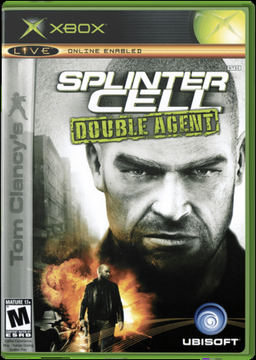
Splinter Cell: Double Agent XBE Recomp
PC port of Splinter Cell: Double Agent
- RecompilationPort Type
- TGP482Developer
- 24 Oct 2026Page Updated
Details
Platform Support
- Windows
Screenshots

Overview
Splinter Cell: Double Agent XBE Recomp is an unofficial native Windows port of the original Xbox version of Double Agent, the one Ubisoft Shanghai built alongside the Xbox 360 game. Its x86 code is translated to C++ ahead of time and built into a 64-bit program, with the Xbox kernel, Direct3D and DirectSound calls implemented on Windows and the game drawn with Direct3D 12. The Xbox XBE Recomp tool behind it was first made for this game. The download holds none of the game: the first start reads the player’s own disc and compiles the game’s code.
The picture goes from 640x480 to any resolution, with render scaling, a wider field of view, an uncapped frame rate in place of the Xbox’s 30 FPS limit, HDR10, and brightness and contrast settings. MSAA, SMAA, anisotropic filtering and GTAO ambient occlusion can be added, shadows can be raised from 512x512 up to 8192x8192, and Chaos Theory’s Shader Model 3 shadows were ported in. Sound can play in 5.1 with reverb and 3D panning matched to the Xbox.
Keyboard and mouse controls follow physical keys on any layout, and the splitscreen Versus mode gets a widescreen HUD, high frame rates and its own mouse settings.
How to Set It Up
- Download the zip and extract it into a folder of its own.
- Put your ISO, or the extracted disc files, in the
assetsfolder. - Run
SCDA.exe. The first start compiles the game’s code for your PC, which happens only once. - Change the display, graphics, sound and control settings in the in-game options menu or the overlay opened with F10.