Project Gotham Racing 2 XBE Recomp
PC port of Project Gotham Racing 2
- RecompilationPort Type
- hk21xDeveloper
- 4 Nov 2026Page Updated
Details
- Developer
- hk21x
- Port Type
- RecompilationA tool translated the game's original machine code into C automatically, which was then built as a native PC program.
- AI Use
- AI-assistedAn AI coding tool is credited as co-author on 216 of the repository's 219 commits. Source
- Source Code
- GitHub
- Xbox XBE Recomp (Tool)
- GitHub
- Page Updated
Platform Support
- Windows
Screenshots
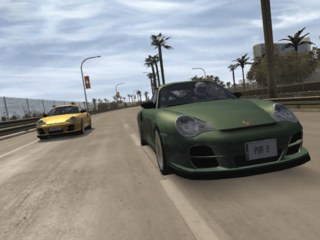
Overview
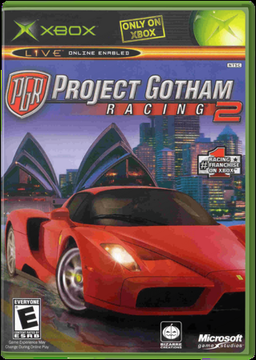
Project Gotham Racing 2 XBE Recomp is an unofficial native Windows port of the Xbox version of Bizarre Creations’ 2003 racer, by the developer of the Project Gotham Racing port. The game’s own x86 code is statically recompiled with TGP482’s Xbox XBE Recomp tool, and the Xbox’s graphics, sound and system libraries are reimplemented with Direct3D 12 or 11, XAudio2 and SDL, so no emulator runs while it plays.
Nothing of the game is downloaded: the launcher fetches a package with the program and a compiler, then builds the game’s code on the player’s PC from their own European or North American disc, with no Visual Studio, Git or admin rights needed. It offers updates when a new release is out and keeps saves, settings and music.
The port runs at any resolution in fullscreen, borderless or a window, fills 21:9 and wider screens with the HUD kept at 16:9, and adds render scaling from 25 to 200 percent, MSAA or FXAA, anisotropic filtering, a wider field of view and a longer draw distance. Races can run at 60 to 144 fps with unchanged physics. It supports Xbox, PlayStation and Switch controllers, DirectInput steering wheels, pedals and shifters with force feedback, custom soundtracks from the player’s own music, experimental Xbox Live DLC from their own files, system link over the LAN or by IP, and 64 achievements. It plays every mode tried with saves; the game’s reverb and filter sound effects are not modelled yet.
How to Set It Up
- Download
PGR2Launcher.exeand put it in a folder of its own with a short path, such asC:\Games\PGR2. Windows may warn about an unrecognised app: choose More info, then Run anyway. - Choose your disc image or the folder with the disc’s files. The launcher checks that it is a supported release.
- Press Get the game ready. The launcher downloads the release’s package (the program and a compiler, no game code) and builds the game’s code from your disc, which takes from about 20 seconds on a fast PC.
- Press Play. The first start sets up the emulated hard disk during the intro movies. F1 or Back + Start opens the settings window.