Orta Recomp
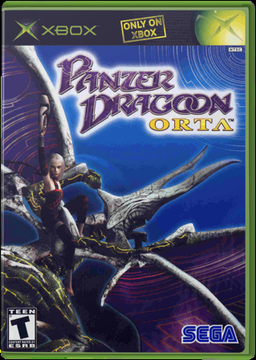
PC port of Panzer Dragoon Orta
- RecompilationPort Type
- wootbeerDeveloper
- 12 Nov 2026Page Updated
.iso or .xiso) or a folder with the extracted game (default.xbe and the rest of the disc), from your own disc. A 64-bit PC with a Vulkan driver: Windows 10 or 11, or Linux and the Steam Deck.Overview
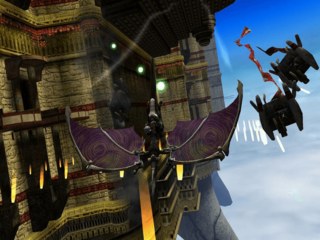
Orta Recomp is a native PC port of Panzer Dragoon Orta, SEGA’s 2002 Xbox rail shooter, made by statically recompiling the Xbox game with xboxrecomp, with graphics, sound and input of its own on SDL 3. It comes from wootbeer, who also made Sin and Punishment Recompiled. No game data is included: the launcher asks for the player’s own disc image or game folder.
It renders at one to eight times the original resolution, in the game’s own 16:9 mode or the original 4:3, with MSAA up to 8x or FXAA and anisotropic filtering. Frame interpolation gives smooth motion above 60 frames a second, and Lossless Scaling’s frame generation can be used with the player’s own copy. There are colour, CRT, softening and bloom settings, positional stereo sound, a headphones mode and 5.1 surround with the game’s room reverb.
Controllers, keyboard and mouse (with mouse aim) all work with every button rebindable, and the port keeps three save files where the original kept one. Extras open every Pandora’s Box item without touching the save, skip the boot logos and show a frame counter. It is a beta: the whole game plays through, though frame interpolation can still cause problems. An Android build is planned.
How to Set It Up
- Download the zip for Windows or the
.tar.gzfor Linux and extract it. - Run
OrtaRecomp. On the first start, choose Game files in the launcher and pick your disc image or game folder. A disc image is copied into the app’s data folder. - Pick save file 1, 2 or 3 in the launcher and start the game.
- F1, or Back and Start on a controller, opens the options menu. Alt+Enter switches to full screen. A blank
portable.txtbeside the program keeps settings, saves and game files in its folder.
Advertisement
Download Orta Recomp
What's new in v0.1.3Orta Recomp v0.1.3 (beta)
Fixed
- Linux and Steam Deck: “There’s a problem with the disc you’re using. It may be dirty or damaged.” could still appear on v0.1.2, when going into a tutorial (or into one again), loading a save, or starting the next episode. It came from how the game’s hard-disk cache was handled on Linux, which had three separate faults; all three are fixed. The cache is now emptied each time the game starts, as on the Xbox, and the game fills it again as you play, so the first load of each stage after starting can take a moment longer. Thanks to @nehobi for finding two of the three (#14).
- Windows: one of the same cache steps no longer depends on Windows reporting a folder’s path, which fails on some drives.
Notes
- Still seeing the disc message, or a crash? Please attach
ortarecomp.logfrom the data folder to a new issue (or to #10), and check that its first line says0.1.3. If it says an older version, an old copy of the game was run. - Updating: extract over your old folder or into a new one. Your settings and saves are kept.
3d36c02db421c501bab5273949c6cb9f0f40a22d2dbaabbc78b3182ec49c2e67
0774e9b149b641a1cbbd08446ae7a13180373f2551b332f27cfeae7f958ae578
9c078ebe397df11a0de67a7b25cde7f359dfa612699226acf0ccc5f4f73ddcbe