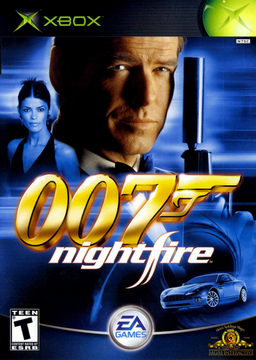
007: NightFire XBE Recomp
PC port of 007: NightFire
- RecompilationPort Type
- hk21xDeveloper
- 3 Nov 2026Page Updated
Details
- Developer
- hk21x
- Port Type
- RecompilationA tool translated the game's original machine code into C automatically, which was then built as a native PC program.
- Game
- 007: NightFire
- AI Use
- AI-assistedAn AI coding tool is credited as co-author on 75 of the repository's 75 commits. Source
- Source Code
- GitHub
- Xbox XBE Recomp (Tool)
- GitHub
- Page Updated
Platform Support
- Windows
Screenshots
Overview
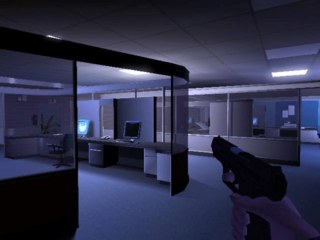
007: NightFire XBE Recomp is an unofficial native Windows port of the Xbox version of the 2002 Bond shooter. The game’s own x86 code is statically recompiled with TGP482’s Xbox XBE Recomp tool, and the Xbox’s graphics, sound and system libraries are reimplemented with Direct3D 12 or 11, XAudio2 and SDL, so no emulator runs while it plays. The game is two programs, the on-foot missions and the driving missions, and both are recompiled and switch between each other on their own.
Nothing of the game is downloaded: the launcher fetches portable build tools and the project’s source, and compiles the game on the player’s PC from their own European or USA disc. It needs no Visual Studio, Git or admin rights, and offers an Update button when the project changes.
The port runs at any resolution in fullscreen, borderless or a window, keeps the game’s 16:9 mode and can widen the 3D view to fill 21:9 and wider screens, with a field of view from 50 to 150 percent. Render scaling, anisotropic filtering, MSAA, FXAA and sharpening are added, the game’s text is redrawn at eight times the console’s resolution, and button prompts can show a modern Xbox pad. Mouse aiming works on foot and on the driving missions’ mounted guns, keyboard prompts show the bound keys, and every key can be rebound. On foot and driving both play on Windows with saves.
How to Set It Up
- Download
NightFireLauncher.exeand put it in a folder of its own. Windows may warn about an unrecognised app: choose More info, then Run anyway. - Choose your disc image or the folder with the disc’s files. The launcher checks that it is a supported release.
- Accept the licence terms for Microsoft’s C++ libraries and press Build. It downloads portable build tools and the project’s source and compiles the game on your PC, which takes 30 to 90 minutes the first time.
- Press Play. Settings are in the F1 window and on the PC Settings page in the game’s menus.
Advertisement
Download 007: NightFire XBE Recomp
What's new in v1.0.2007: NightFire PC port 1.0.2
A fix release of the unofficial native PC port of 007: NightFire (original Xbox).
Building on a drive such as exFAT: fixed
On a drive that does not record file owners (exFAT, FAT32 and some network shares), the build stopped just after
downloading the source, with detected dubious ownership in repository in the launcher’s log, and pressing Build
again stopped in the same place. The launcher now builds on these drives, carrying on from where it stopped. You do
not need to change any Git settings. If you added a safe.directory exception for this, it does no harm.
In case you missed it: clean text, and PC Settings on the pause screen
The game’s pixelated text is redrawn from a real font (Sour Gummy Black), smooth at any resolution, in the menus and the HUD on foot and in the driving missions. PC Settings is a choice on the on-foot pause screen as well as the main menu.
New graphics settings
MSAA and FXAA are now separate, and there is a new sharpening setting (F1, Graphics; your old antialiasing setting carries over). The README compares them.
Other changes
- The launcher’s log now records what its check for new releases found.
- Updates to the shared runtime from the wider project.
Help and reports: the Discord server.
Updating
Open NightFireLauncher.exe: it should offer this release at the top. Press Update the launcher, and when it has restarted press Build. If no offer appears, download NightFireLauncher.exe below and put it in place of the old one. Your disc choice, saves and settings stay as they are.
No game files are included. You need your own copy of the game (the European PAL or the USA release). See the v1.0.0 notes for everything in the port.
Problems: the game’s log is in NightFire\play\logs, the launcher’s in NightFire\launcher.log.
cd85e43a4799c6edb403e10af90bb8a9115b9d180834ea517513a7e4caeb1298