
OpenShao
PC port of Mortal Kombat: Shaolin Monks
- RecompilationPort Type
- OAleexDeveloper
- 21 Nov 2026Page Updated
Details
- Developer
- OAleex
- Port Type
- RecompilationA tool translated the game's original machine code into C automatically, which was then built as a native PC program.
- AI Use
- AI-assistedThe project says: “Development uses AI assistance for analysis, code, debugging, tests and documentation.” Source
- Source Code
- GitHub
- Page Updated
Platform Support
- Windows
- Linux
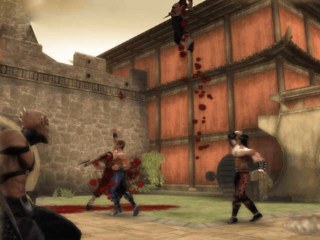
Screenshots
default.xbe. Windows 10 (1903+) or Linux with glibc 2.38+, an x64 processor with SSE4.2 and POPCNT, and a Direct3D 12 or Vulkan 1.2 graphics card; on Linux, the system libcurl.Overview
OpenShao is a native PC port of Mortal Kombat: Shaolin Monks, Midway’s 2005 action game, made by statically recompiling the original Xbox version. It runs on Windows with Direct3D 12 by default or Vulkan, and on Linux with Vulkan, and does not include the game.
Its launcher picks the game, mods and folders and installs updates. Inside the game, a settings menu called Konfigure Recompilation covers display, graphics, controls, audio and language, and a pause menu adds options and a way back to the desktop. The game can be 16:9, 16:10, 21:9, 32:9 or the window’s own shape, with the original 4:3 as the default, at a render scale from 25% to 400%, with anisotropic filtering and V-Sync.
Every action can be bound to a primary and an alternate key, and any controller can find its way around the menus and remap the controls. The developer says AI assists the development.
How to Set It Up
- Download the release for your system and extract it to a folder.
- Open OpenShao and choose your game: an ISO, XISO, ZIP, extracted folder or
default.xbe. It reads the game where it is, so keep it in place. - Select Play.
- The launcher checks for a new version when it opens; Update installs it and keeps saves, settings and mods.
Advertisement
Download OpenShao
What's new in v0.6.0OpenShao 0.6.0
OpenShao 0.6.0 adds Baraka, Kitana, Johnny Cage and Reptile to the campaign, Photo Mode, new Enhanced Camera options and a launcher in six languages. It also fixes characters leaving the map above 60 FPS, missing controller vibration and several menu, audio and graphics issues. This release includes the unpublished 0.5.5 work.
Important
Update from 0.5.1 with Update in the launcher, or extract this release to a new folder. Saves, settings and mods are preserved. You still need your own USA/Europe Xbox copy of the game.
Watch the 0.6.0 showcase
Campaign fighters
- Added Baraka, Kitana, Johnny Cage and Reptile to Single Player and Ko-op fighter selection.
- Unlocking Sub-Zero adds Baraka and Kitana. Unlocking Scorpion adds Johnny Cage and Reptile. Individual Versus unlocks also grant campaign access.
- Added a Moves reference for each extra fighter in the Start menu, with basic attacks, specials, throws, combos and Fatality commands. These entries have no XP upgrades or video previews.
- Long move names and descriptions now wrap or scale down to fit their panels in all six languages.
- Added the Multality and Brutality coins for extra fighters. If every player uses an extra fighter, the coin expands the Fatality meter and clearing the encounter opens the gate.
- In mixed Ko-op, the story fighter completes the finisher before the extra fighter receives the meter upgrade.
- Added a line for each extra fighter when the Multality gate opens in single player.
- Fixed Kitana’s stretched neck and Johnny Cage’s missing sunglasses in story cinematics and gameplay.
- Highlight a locked fighter in Single Player, Ko-op or Versus and press A to see how to unlock them.
- Fixed a brief flash of the wrong roster after confirming the difficulty.
Photo Mode
- Added Photo Mode to the campaign and Survival Mode, in single player and Ko-op.
- Press Select, then choose Photo Mode.
- Move the camera with the left stick and turn it with the right stick. The triggers zoom. Black and White raise and lower the camera.
- Press A to take a photo, Y to hide the controls and B to return.
- Press X for filters (Black and White, Sepia, Vintage, High Contrast), intensity, vignette, tilt, quality and camera range.
- Photos are saved as PNG files in
Pictures\OpenShao. - Press F12 at any time to save a screenshot to the same folder.
Enhanced Camera
- Added Enhanced Camera to Enhancements, with angle hold, camera speed and tracking smoothing in single player.
- Click the left stick (L3) or press the key below Esc to recenter the camera. Recenter Camera can be remapped.
Menus and settings
- Enhancements now sits directly below Konfigure Recompilation in the Select pause menu.
- Both settings menus adjust values only with Left and Right. A opens pages, captures bindings and confirms actions.
- Display changes now wait for Apply Changes or Discard Changes. Render scale still applies immediately.
- Controller, keyboard and mouse lists in the Select settings now use LT/RT to turn pages.
- Remapping now accepts a short B press as a binding. Hold B to cancel.
- Added Navigate, Adjust and Back hints to the settings footers.
- Fixed the main menu medallion jumping when entering and leaving Konfigure Recompilation.
- Kontent no longer lists The Suffering 2 demo, which is a separate game.
Graphics and performance
- Fixed characters leaving the map at more than 60 FPS, mostly in Ko-op (#59).
- Fixed character shadows shrinking when a room starts.
- Fixed brightness after a language restart.
- Fixed a fullscreen display change that could apply after switching windows.
Audio
- Fixed sound effects playing too loud in stereo and mono.
- Reduced the audio mixer’s CPU use.
Input
- Fixed missing controller vibration (#60).
Stability
…
e905338b8c7f78016eb5c94bbb1405f6ff02fbef684b0f52e5c51418468dd397
f43dc2429693f04fe5dc763351a76c2f7e70632e5920b0a7547a60f29a1a4672
ca759e4d2d49caac8e9f86521f3496df7080d18618c67bba5e08ff28beca1b09