
Midtown Madness 3 PC Native
PC port of Midtown Madness 3
- RecompilationPort Type
- lakshya16157Developer
- 16 Nov 2026Page Updated
Details
- Developer
- lakshya16157
- Port Type
- RecompilationA tool translated the game's original machine code into C automatically, which was then built as a native PC program.
- AI Use
- AI-assistedAn AI coding tool is credited as co-author on 300 of the last 853 commits. Source
- Logo
- AI-made fan art, not the official logo · Full sizeEmulationKing made it because the project has no logo of its own. Free to use, no credit needed; the game's name belongs to its owner.
- Source Code
- GitHub
- Page Updated
Platform Support
- Windows
- Linux
Screenshots
Overview
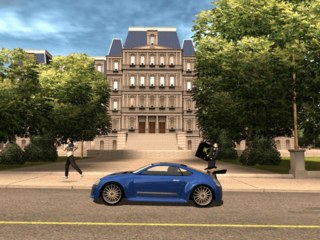
Midtown Madness 3 PC Native is an unofficial PC port of Midtown Madness 3, Digital Illusions’ 2003 Xbox racing game. It is not an emulator: the game’s Xbox program is statically recompiled into native code with MattSG’s xboxrecomp toolkit, building on Matt Graham’s mm3-recomp, and paired with new DirectX 11 and Vulkan renderers. Setup takes the game’s files from the player’s own disc image and contains none of them. The Vulkan renderer also makes it a native Linux and Steam Deck game, with no Wine or Proton needed.
It runs at the screen’s own resolution in widescreen, up to 120 fps, with anti-aliasing and sharper textures, the Xbox’s sound processing, controller vibration and keyboard controls, two-player split screen and System Link over the network. The launcher offers the original Xbox look or an improved one, with longer view distances, car headlight beams, better street and night lighting and a photo mode. Gameplay can stay exactly as on the Xbox or take optional mods: 20 extra circuit races in Washington and Paris, adjustable damage and opponent difficulty, slipstream drafting and a free camera.
Setup can also add the game’s official downloadable car and race packs for players entitled to them, and nine extra cars converted by the Midtown Madness modding community, credited in a file next to the game. The project is open source under the GPL-3.0.
How to Set It Up
- Windows: run
MM3-Setup.exe. Windows may warn because it isn’t code-signed: choose More info, then Run anyway. - Pick your disc image (Setup looks in Downloads, Desktop and Documents), choose the options, then click Install and Play now.
- Linux and Steam Deck: unpack
MM3-Linux-x86_64.tar.gz, runsh install.shin theMM3-Linuxfolder and pick your disc image. It installs to~/Games/Midtown Madness 3with a menu entry. - The launcher opens before the game, with its settings and mod tabs. The first start plays the intro movies for about three and a half minutes. To update on Windows, press Check for updates in Setup or the launcher; on Linux, install the new download over the old one. Saves and settings are kept.
Advertisement
Download Midtown Madness 3 PC Native
What's new in v2.7.4Midtown Madness 3 PC 2.7.4
Midtown Madness 3 PC 2.7.4
Build note: the Windows game programs are normal builds, not PGO-optimised (a PGO build can follow later).
Windows: MM3-Setup.exe (DirectX 11 and the Vulkan renderer). Linux / Steam Deck: MM3-Linux-x86_64.tar.gz, the native build (Vulkan).
New: Stop the time limit (F10)
A new Stop the time limit box in the F10 settings window, next to Freeze opponents (Windows window and the in-game Linux window). While it is ticked, the time left in Blitz races and timed Career jobs stays where it is and cannot run out; untick it and the countdown carries on from the same time. It works at once and lasts until you untick it or quit. Time bonuses still add, and the race clock, voice timers and “survive this long” goals run as before.
Changed: no more “Time limits” percentage
The Time limits box under Gameplay mods → Difficulty is gone (launcher and Linux settings window), replaced by the F10 box above. An old saved value is ignored.
Everything from 2.7.3 is included.
Install
- Windows: download
MM3-Setup.exe(Setup’s Check for updates also finds it). - Linux / Steam Deck: download
MM3-Linux-x86_64.tar.gz, unpack it and run./install.sh. - You need your own Midtown Madness 3 Xbox disc image. Setup is unsigned, so Windows SmartScreen may warn.
e2f79468cd68630aa63b7d6b3517298c2ffea74d10f7f4db8b69e7ba9bd59dbd
a45436c770bb209a518f896b7f9ade10a6a5c6c3646188d00bdf04bd099d5726