007: Everything or Nothing XBE Recomp
PC port of 007: Everything or Nothing
- RecompilationPort Type
- hk21xDeveloper
- 3 Nov 2026Page Updated
Details
- Developer
- hk21x
- Port Type
- RecompilationA tool translated the game's original machine code into C automatically, which was then built as a native PC program.
- AI Use
- AI-assistedAn AI coding tool is credited as co-author on 183 of the repository's 184 commits. Source
- Source Code
- GitHub
- Xbox XBE Recomp (Tool)
- GitHub
- Page Updated
Platform Support
- Windows
Screenshots
Overview
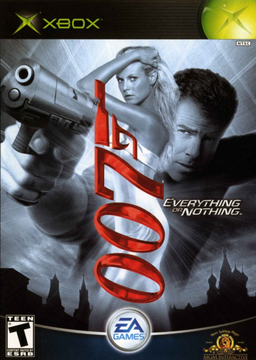
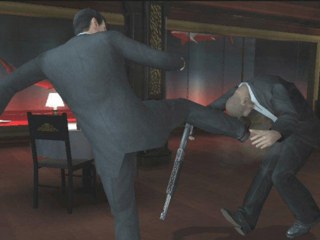
007: Everything or Nothing XBE Recomp is an unofficial native Windows port of the Xbox version of the 2004 Bond game. The game’s own x86 code is statically recompiled with TGP482’s Xbox XBE Recomp tool and the Xbox’s graphics, sound and system libraries are reimplemented with Direct3D 12 or 11, XAudio2 and SDL. Both of the game’s programs, the on-foot game and the driving missions, are recompiled and hand over to each other on their own.
The launcher downloads portable build tools and the project’s source, never the game, and compiles the port on the player’s PC from their own European or USA disc, including the media-check patched versions. On foot and driving play with saves up to the last mission.
The 3D view can widen to fill 21:9 and wider screens, the driving missions, 4:3 on the console, widen to the screen too, and they run at 60 FPS. Render scaling, anisotropic filtering, MSAA or FXAA, sharp text and HUD at high resolutions and modern Xbox button pictures are added, the driving missions’ six-channel mix is heard in full on stereo, and the mouse aims and works in menus, with keyboard prompts and rebindable keys.
How to Set It Up
- Download
EoNLauncher.exeand put it in a folder of its own. Windows may warn about an unrecognised app: choose More info, then Run anyway. - Choose your disc image or the folder with the disc’s files. The launcher checks that it is a supported release.
- Accept the licence terms for Microsoft’s C++ libraries and press Build. It downloads portable build tools and the project’s source and compiles the game on your PC.
- Press Play. Settings are in the F1 window, where keys and mouse buttons can be rebound.
Advertisement
Download 007: Everything or Nothing XBE Recomp
What's new in v1.0.3007: Everything or Nothing PC port 1.0.3
An update of the unofficial native PC port of 007: Everything or Nothing (original Xbox).
To update: open EoNLauncher.exe. It offers this version, updates itself, then rebuilds the game. Your saves and settings are kept.
New: settings in the game’s own menus
- PC Settings is now in Options on the main menu and in the pause menu’s Options tab, so you can change settings with a controller or the keyboard. The first row turns the page; left and right, or a click, change a value. Key bindings, the wheel and the monitor stay in the settings window (F1).
- Language is a new setting, in PC Settings and in F1, and applies at the next start, in the driving missions too. Each disc has its own languages: English, Spanish, Italian, Dutch and Swedish on one European disc, French and German on the other (so German can now be chosen), English on the USA disc. A language your disc does not have is ignored.
Smoother play
- Stutter in driving missions. A fix in 1.0.2 could leave two parts of the game waiting on each other for a tenth of a second, again and again during a mission (seen in Train Chase). They no longer wait. Some slow frames remain while a mission loads.
- The stutter when button prompts first appear, for example as you approach a vehicle. The port’s button pictures are now drawn in the background. You may see the disc’s own pictures for a moment before they change.
- Smooth slow motion (new setting, on; Direct3D 12, driving missions at 60 frames a second). Slow motion moves in steps, as on the Xbox, but at 60 frames a second the steps stand out, for example in The High Road. Each step now fades into the next. Fast movement can show some ghosting. On Direct3D 11 slow motion still shows the steps.
More copies accepted
- Copies of the USA and Europe (French, German) discs with the media check patch are now recognised, as the English European disc’s already was. This one-byte difference does not change how the game runs.
Getting started
New to the port? See the v1.0.0 notes. No game files are included: you need your own copy of the game.
Problems: the game’s log is in EoN\play\logs, the launcher’s in EoN\launcher.log.
7e67499b31d6677a5ebc426121ed375a27d70aef205960400924ee1bab5742f8