Exonerated
PC port of Deathrow
- RecompilationPort Type
- AsukaNeoDeveloper
- 2 Nov 2026Page Updated
Details
- Developer
- AsukaNeo
- Port Type
- RecompilationA tool translated the game's original machine code into C automatically, which was then built as a native PC program.
- Game
- Deathrow
- AI Use
- AI-assistedThe project says: “was used as a development assistant for the intensely time-consuming recompilation work, to make this project a reality sooner.” Source
- Source Code
- GitHub
- Page Updated
Platform Support
- Windows
Screenshots
.iso) or its files (default.xbe and the data folder). 64-bit Windows 10 or 11 and a Direct3D 11 graphics card.Overview
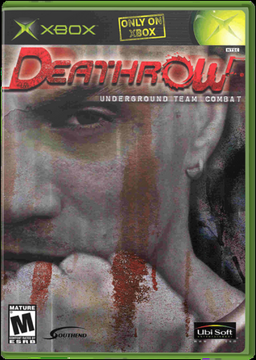
Deathrow came out in 2002 for the original Xbox only, from a studio that no longer exists. Exonerated takes the game’s own code, turns it into C and builds it for a modern Windows PC, with no emulator involved.
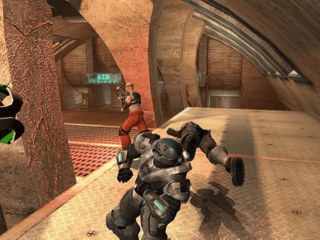
It is a beta. Full matches play from start to finish, Conquest, the menus and all of the movies work, and sound, controllers with rumble and the keyboard are in. A Direct3D 11 renderer draws at up to four times the Xbox’s resolution, the game’s own widescreen mode is available, and the game keeps the Xbox’s speed, 30 fps in matches and 60 in menus, with optional frame generation for high refresh rate monitors. A few lights and textures still glitch.
The settings menu is laid out like a PC game’s own, with display, graphics, controls and system tabs. Online play and system link are not planned. The developer says AI was used as an assistant for the recompilation work.
How to Set It Up
- Download the zip and unzip it wherever you like.
- Run
Exonerated.exeand point it at your disc image ordefault.xbe. It checks the release and copies the game into agamefolder next to the program, the first time only. - Choose Play on the title card. F10, or Back+Start on a pad, opens the settings at any time.
Advertisement
Download Exonerated
What's new in v0.9.5Exonerated 0.9.5-beta
A small update: the settings menu (F10, or Back+Start on the pad) is now laid out like a PC game’s own options screen.
What’s new
- Tabs: Display, Graphics, Controls and System. Switch with Q/E, Tab, the bumpers, or a click.
- Display mode: Windowed, Borderless or Fullscreen.
- Fullscreen switches your monitor to the resolution you pick, at its highest refresh rate.
- Alt+Tab puts your desktop back, and returning switches again.
- Monitor: pick the monitor the game shows on.
- Resolution: a list of the resolutions your monitor offers, for Fullscreen.
- Apply: display changes wait for “Apply display changes”, as in Windows’ own display settings. Closing the menu drops them.
- Easier to read:
- each setting has a one-line description;
- the footer shows keyboard keys or pad buttons, whichever you last used;
- the game dims behind the menu;
- text scales with the window.
- Looks the part: a red and black theme to match Exonerated, a proper icon, and version details in the exe’s Properties.
- Sharper on scaled displays: the window is now DPI aware, so Windows no longer blurs it on 125% or 150% scaling.
Your existing exonerated.ini carries over. The old fullscreen=1 setting now means Borderless.
Install
Same as before: unzip and run Exonerated.exe, then point it at your own copy of Deathrow (North American release, version 3). No game files are included.
🤖 Generated with Claude Code
75f0ef5c29ba004663f54169e3b2a07d3f226bf508f0341ee8cae17a0474218e