Tiberian Sun Recomp
PC port of Command & Conquer: Tiberian Sun
- RecompilationPort Type
- sp00nznetDeveloper
- 3 Nov 2026Page Updated
Details
Platform Support
- Windows
- Linux
- macOS
Screenshots
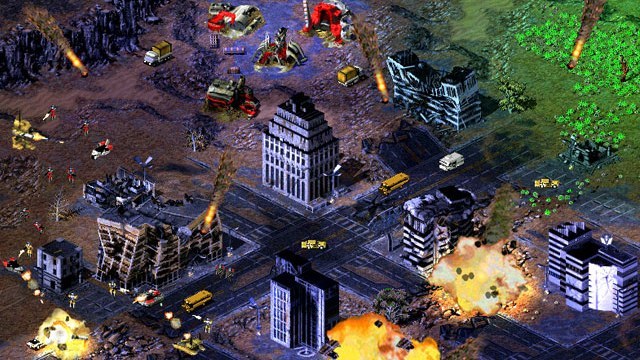
Game.exe, Language.dll and the .mix files). Windows, Linux or macOS.Overview
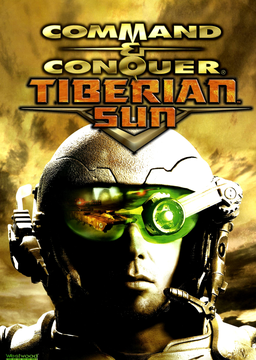
Tiberian Sun Recomp is a static recompilation of Command & Conquer: Tiberian Sun and its expansion Firestorm from the shipping Win32 Game.exe to native C, built on sp00nznet’s pcrecomp toolchain. It runs Westwood’s own code rather than a reimplementation of the rules, and shares its host, presenter and tools with the same developer’s Red Alert 2 recompilation.
Nothing from the game is in the download: the installer fetches the project and its toolkit, and the C is generated on the player’s machine from their own Steam copy and never distributed. The project calls itself bring-up but playable: both games reach their main menus, skirmishes run from 640x400 to 3840x2160, and all four campaigns reach their first mission with their movies.
The game draws into its own resizable or borderless window with sharp-bilinear, smooth, CRT or nearest scaling, plays at 1280x720 up to 3840x2160 with 21:9 and 16:10 included, and frames the 640x400 menus on a blur of themselves. HD vehicles draws units and their shadows at twice the resolution from the game’s own voxel models. On Linux it also runs natively without Wine, and macOS runs it under CrossOver or Wine.
How to Set It Up
- Download the installer for your system: the Windows exe, the Linux tar.gz or the macOS (Apple Silicon) zip.
- Open it. It finds your game or lets you point it at the folder.
- Build the recomp. The installer fetches the project and its toolkit and builds the game on your PC from your copy.
- Play. F10 opens the settings menu, F11 switches fullscreen and F12 changes the scaling.
Advertisement
Download Tiberian Sun Recomp
What's new in v0.1.0v0.1.0-alpha.2
Download the installer for your system below and point it at your copy of Tiberian Sun. It fetches this repo and the toolkit, builds the game and leaves a Play button. You need your own copy of the game: nothing from it is in this release.
New
- F10 settings menu on Linux. The native Linux build now has the same menu as Windows: scaling, the bars beside the picture, fullscreen, HD vehicles, the game’s resolution and the mod. HD vehicles are on by default, as on Windows.
- More resolutions in F10’s list on both Windows and Linux: 21:9 (1720x720, 2560x1080, 3440x1440, 3840x1600) and 16:10 (1680x1050, 2560x1600). On Linux your display’s own size is offered too.
- The game’s own Display Options on Linux lists the large resolutions as well. Before, it stopped at 1024x768.
Fixed
- A freeze in battle. A line drawn through the corner of the screen could send the game’s line clipper round forever, with one core at 100% and the sound looping. The shipping game has the same bug. It was found in Red Alert 2 by @andersbusk (redalert2-recomp #20), and Tiberian Sun has the same code.
Updating from alpha.1
Run the installer again, or run Setup.cmd / ./setup.sh in your checkout. It re-lifts and rebuilds. On Linux, setup also updates an older pcrecomp clone, since the F10 menu needs a current one.
Full list: CHANGELOG.md
b80b9bdeb0c012b8999677803d9ec95bb4163d93b00e1b3687610559105df28c
b35b510d58e274de38ce1cc1899fb5a87cb41fe6148fb1c22de94548af23f518
954a810d7de9b2125561df458e110d4b8cf1c61ffc62bca5ff42930617845f0c