OpenSGolf
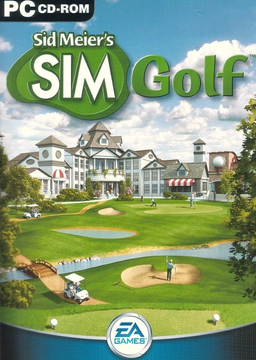
PC port of Sid Meier's SimGolf
- ReimplementationPort Type
- crspytopgnDeveloper
- 4 Nov 2026Page Updated
Details
- Developer
- crspytopgn
- Port Type
- ReimplementationThe game was rebuilt in new code that plays like the original and loads its data from your own copy.
- AI Use
- AI-assistedAn AI coding tool is credited as co-author on 578 of the last 638 commits. Source
- Source Code
- GitHub
- Original Release
- crspytopgn.github.io
- Support the Developer
- Buy Me a Coffee
- Page Updated
Platform Support
Screenshots
Data, Flics and Sounds), or a .zip of it.Overview
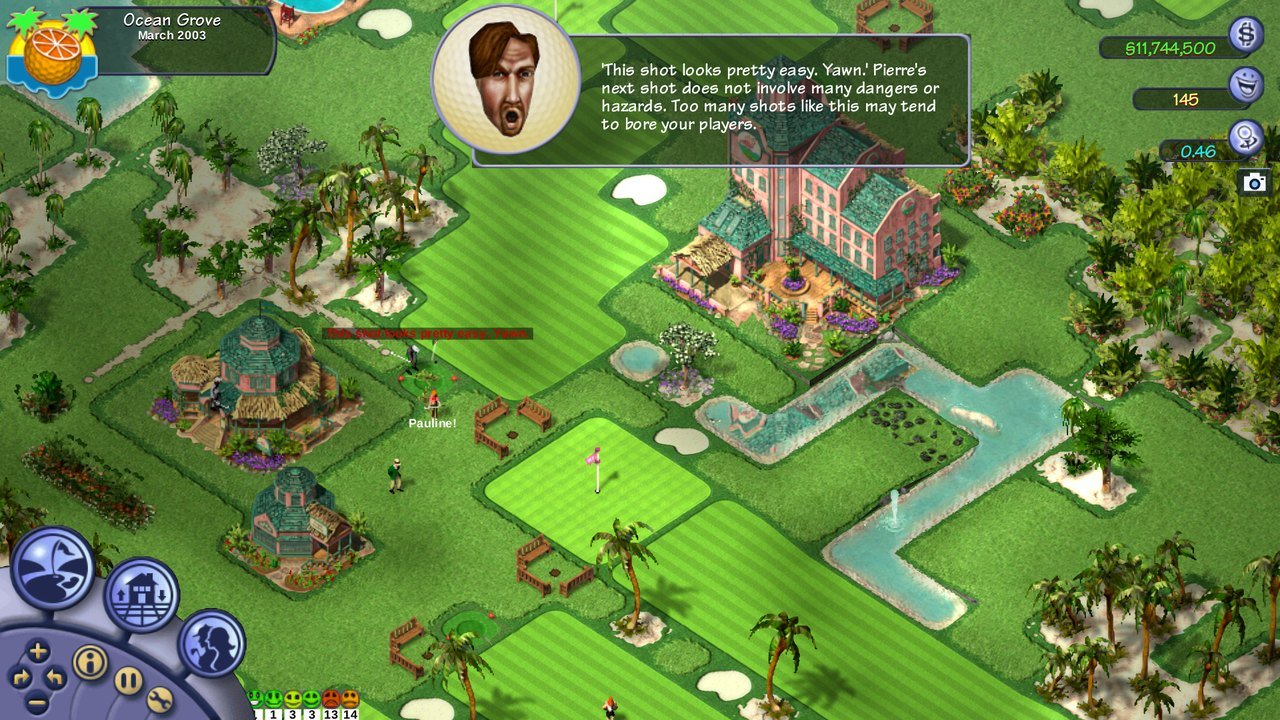
OpenSGolf is an open-source game engine, written in Rust, that plays Sid Meier’s SimGolf, Firaxis Games’ 2002 golf course builder. It aims to play exactly like the original, in the way OpenTTD does for Transport Tycoon Deluxe: its rules and numbers are rebuilt from facts read out of the original program, and with every option at its default it looks and plays like the 2002 release. It contains none of the original’s code.
It runs on Windows, macOS, Linux, Android and in a web browser, and saves anywhere, undoes building and terrain changes, runs full screen at any size, speeds up to four times, and supports remappable keys, touch controls and Xbox, PlayStation, Switch and Steam Deck controllers. Bugs in the original, such as costs charged twice, are fixed by default and can be turned off.
Optional extras, off by default, include enhanced graphics for 4K and widescreen screens with weather, seasons and wildlife, courses up to 128 by 128 tiles, a harder economy, cut content restored, course codes for sharing courses with friends, and content packs and scripts that can be downloaded from inside the game. With the player’s own SimGolf files it uses the original art, sounds and music; without them it uses opensgolf-free, a simple set of graphics and sound made for the project. The text of the original’s in-game messages is included so the game reads like the original.
How to Set It Up
- Download the build for your system: the Windows or Windows on ARM zip, the macOS zip, a Linux AppImage, or the Android APK. On Steam Deck, add the Linux AppImage to Steam as a non-Steam game.
- Unzip it and run
opensgolf. Windows and macOS may warn because the builds are not code-signed: choose More info, Run anyway on Windows, or right-click and Open on macOS. - To use the original graphics and sound, choose Use my SimGolf files… on the title screen and pick your SimGolf folder. Without it, the free set is used.
- When starting a new game, choose between the original rules and the OpenSGolf extras.
Advertisement
Get OpenSGolf on GitHub
The project's GitHub releases page has every build, and OpenSGolf also plays in the browser on its website. The builds below are a backup copy. Downloading it there supports the developer. You can also support them directly. The files below are our backup mirror, kept in case the original goes away.
Backup Mirror
What's new in v0.6.10OpenSGolf v0.6.10
0.6 (28 October 2026)
Highlights
- Smoother play. The short freezes as golfers came and went are gone, and the course draws faster, most of all in browsers.
- Enhanced graphics keep up on big screens and slower machines. In a browser they draw at up to 1440p and stretch to a 4K screen, and when the game runs slowly they ease off a step at a time by themselves.
- Make HD graphics from your own SimGolf files (beta): an AI upscaler built into the game redraws the art sharper, on your own computer or phone, while you play (Preferences > Graphics). It switches itself on when it is done, and Remove HD graphics undoes it. Not in browsers yet.
- A new cast of cartoon faces for the free graphics’ golfers.
- Checks for a new version when the game starts and offers it, saying nothing if there is none (Preferences > More switches it off).
- The terrain brush’s preview keeps to its tile when zoomed out (#115).
- The game says when some of your SimGolf files cannot be read, instead of quietly leaving things off the course.
- New options: aim and swing with the mouse the way touch screens do; right click puts the tool away (B on a controller), so a brush left in hand no longer undoes a hole’s tee or green; and on wide screens the interface now sits at the screen’s edges with Classic graphics too (on big TVs the dock and money no longer sit in the middle; Looks switches it back); Sandbox: no new dandelions; and [ now slows the game down as ] speeds it up, each stopping at the end instead of going round.
- Desert names as in the original: the desert’s Brush and Ravine buttons now carry the names (and descriptions) the original gives their pictures, so the placing preview matches too, and the Fix the desert’s swapped Ravine and Brush art option, which only made up for the wrong names, is gone. Undo’s Reset to and the shot panel’s lie use the theme’s names (desert, rough, canyon and the rest) instead of the Parkland ones.
- Desert rough is edged with grass as in the original: no more sand rings round buildings and landmarks, and the rough reaches the map’s edge (#118). As in the original, the desert’s rough also counts as its own ground for weeds, spectators and what golfers think of it.
Fix releases
- 0.6.10: desert ponds draw the Desert’s sandy shore again, keeping the grassy shore only on the edges that meet a tee, green, fairway or sand trap, as the original does (#161); a golfer becoming a member, or moving up a level, plays the club’s fanfare with the message (#162).
- 0.6.9: Hungarian ő Ő ű Ű are drawn in the game’s own fonts, made from their ó Ó ú Ú (ő was blank and Ő another symbol with the original game’s fonts) (#153); with Enhanced graphics, the blimp’s reflection sits below the water’s surface again instead of over its shadow, pointing the blimp’s way (#147).
- 0.6.8: the game’s text draws Central European letters (Hungarian ő ű, Polish, Czech and the rest) and the typographic quotes, dashes and ellipsis („ ” – …), for translations (#153). A new gameplay extra, off by default: Keep the land offer, to buy land when you like after the County commissioner approves an expansion (from puddin11).
- 0.6.7: on a touch screen, a one-finger drag with no tool in hand only scrolls the view (it no longer picks up the employee under it, or opens a golfer’s card); the aim’s plate moves aside so it no longer hides the end of the shot; with Enhanced graphics, no hard red and purple circles after rain. From puddin11.
- 0.6.6: with Enhanced graphics, the blimp’s reflection in the water points the way the blimp does (#147).
- 0.6.5: undo (Ctrl+Z, the touch Undo button) puts back only what the click changed and its money, and no longer winds the clock, the golfers and the money earned since back; what was built since (a tournament’s TV towers) stays. Placing,
…
8c9dd12c552681f66b39d3e8646e1ee3371b4c22129f5374ef8f7c1b670cbbf2
2f463084fe13bedeb50ea410b53e6fe87906887f73cbeb6a5217ed78503d592b
3ceb333cb3feb45e477805ab03ced02b2727b031bc1deada25fae592ea54485a
09398ff076b8018f658d95ca0c41f0f6da4682355b5612f259581f6ceb736d6c
786b00f7bbc31b9c9947d81abf6d40e9f5984d81d13bf83434cc0d3e2c9009dc
ca07d80264c3023f4d02994cea55004d8818889c6c27bb14ba5964cc31ee1250
1e55c98767bb05abb5f06c53a67f25e1a5ab984b72bb86007aa092f4c19e2698