Tokyo Wars PC Port
PC port of Tokyo Wars
- DecompilationPort Type
- spacestate1Developer
- 8 Nov 2026Page Updated
Details
- Developer
- spacestate1
- Port Type
- DecompilationThe game's code was rewritten by hand as source code that builds back into the same game, then made to run natively on PC.
- Game
- Tokyo Wars
- AI Use
- AI-assistedAn AI coding tool is credited as co-author on 70 of the repository's 94 commits. Source
- Source Code
- GitHub
- Page Updated
Platform Support
- Windows
- Linux
Screenshots

tokyowar set (tokyowar.zip), from MAME 0.271 or later, dumped from your own board. The DSP’s BIOS is built in, so no c71.bin or namcoc71.zip is needed.Overview
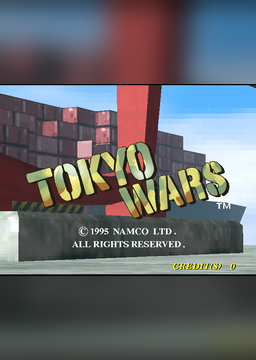
Tokyo Wars PC Port is a native PC port of Namco’s 1996 arcade game Tokyo Wars for Windows and Linux, including the Steam Deck. It is one of the Namco System 21, 22 and 23 games rebuilt by the namco22-decompile project (now titled Namco 2x Systems), which took each game’s program apart with Ghidra and checked it piece by piece against the arcade machine running in MAME. The Windows zip and the .deb contain every game; the AppImage contains only this one.
Tokyo Wars is playable, from the attract mode through play, with sound and an optional widescreen picture. Its main program is translated to C by a tool of the project, and its DSP and sound programs are turned into C from the player’s own ROMs when the game is prepared. The port adds a menu with screen, sound and key settings, analogue stick steering with several response curves, pausing, full screen, screenshots and controller support.
The downloads contain no game files, apart from the board’s DSP BIOS, which is built into the program. It needs the game’s MAME ROM set, dumped from your own board.
How to Set It Up
- Download one package: the Windows zip, the
.deb(Ubuntu 22.04+, Linux Mint 21+, Debian 12+), which hold every game in the project, or the Tokyo Wars AppImage for the Steam Deck and other Linux systems. - Windows: unzip it anywhere, put
tokyowar.zipin itsromsfolder and double-clickTokyoWars.exe. - Linux: install the package and start Tokyo Wars from the applications menu (or type
tokyowars). The first time it makes~/.local/share/namco-2x-systems/<game>/roms, says which zip is missing and copies any it finds in~/Downloads. - AppImage: make it executable, put your zips in that same folder or next to the AppImage, and run it. On a Steam Deck, add it to Steam from Desktop Mode; the menu opens with R3 or by holding Start.
Advertisement
Download Tokyo Wars PC Port
What's new in v0.10.2
Bug fixes.
- Ridge Racer 2 (#95): the sound no longer stops with “no translation for this M/X at 00DB60”. The sound translator now follows the flags a
PLPrestores. - Rave Racer, Ace Driver, Ridge Racer 2, Cyber Commando: more of the shared C74 sound BIOS is translated. Each game now also gets the BIOS code the other three ran, and the interrupt handlers in every CPU mode. A sound test that played every sound command stopped Rave Racer’s sound in 0.10.1; it plays through now.
- Includes the Rave Racer lap-3 sound fix (#62) already described for 0.10.1.
Checked: the translated sound matches the original sound program, byte for byte, in every recorded scenario for Ridge Racer 2, Ace Driver and Rave Racer (26 scenarios); none of the four C74 games traps when it plays every sound command.
7a395d5e3902de1e31aa430170ad775e2f4018a9bf0aedac3817dda10250a0ed
cabeced55f870aa67ecbd0283c42424da9006a48d8346368ae97b46798875444
64eda2778cb7b2c4581e1350ed6b112a533a70cecab5901b1a530b57fc499325
f8f9f7dccf47e5646d1007d540954dac75b6a021f08924c916e90aacd5954426