Cyber Sled PC Port
PC port of Cyber Sled
- DecompilationPort Type
- spacestate1Developer
- 5 Nov 2026Page Updated
Details
- Developer
- spacestate1
- Port Type
- DecompilationThe game's code was rewritten by hand as source code that builds back into the same game, then made to run natively on PC.
- Game
- Cyber Sled
- AI Use
- AI-assistedAn AI coding tool is credited as co-author on 66 of the repository's 89 commits. Source
- Source Code
- GitHub
- Page Updated
Platform Support
- Windows
- Linux
Screenshots


cybsled set (cybsled.zip) plus namcoc67.zip (the C67 DSP’s internal ROM) and namcoc68.zip (the C68 I/O controller’s internal ROM), from MAME 0.271 or later, dumped from your own board.Overview
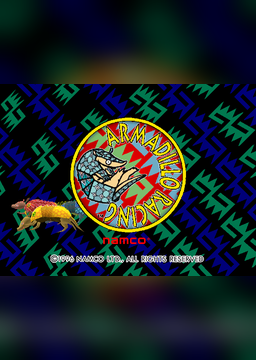
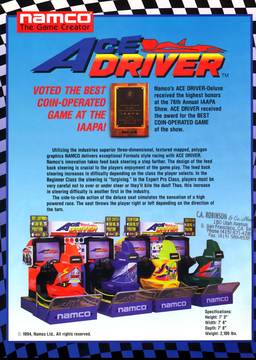
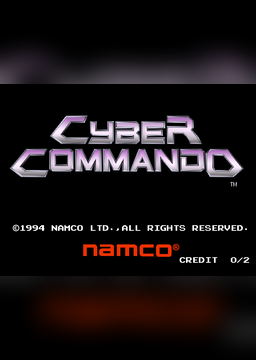
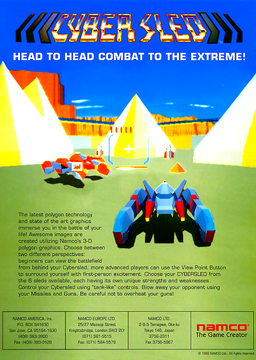
Cyber Sled PC Port is a native PC port of Namco’s 1993 arcade game Cyber Sled for Windows and Linux, including the Steam Deck. It is one of the Namco System 21, 22 and 23 games rebuilt by the namco22-decompile project (now titled Namco 2x Systems), which translates each game’s program to C and checks it against the arcade machine running in MAME. The Windows zip and the .deb contain every game; the AppImage contains only this one.
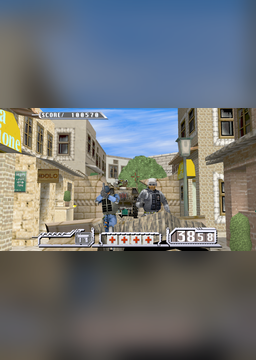
Cyber Sled is the project’s System 21 game, a board with two 68000 processors, five DSPs for the 3D and a 6809 for sound. Both 68000 programs were translated to C and checked instruction by instruction against MAME, and the DSP, sound and I/O programs are turned into C when it is built; the YM2151 sound chip is the project’s own code. Online play links two machines the way the arcade’s own cable linked two cabinets, over a LAN or a server, with a lobby and chat. On a pad the two sticks are the two levers; the keys cannot be changed yet. The developer test mode is reachable too.
The downloads contain no game files. It needs the game’s MAME ROM sets, dumped from your own board.
How to Set It Up
- Download one package: the Windows zip or the
.deb(Ubuntu 22.04+, Linux Mint 21+, Debian 12+), which hold every game in the project, or the Cyber Sled AppImage for the Steam Deck and other Linux systems. - Windows: unzip it anywhere, put
cybsled.zip,namcoc67.zipandnamcoc68.zipin itsromsfolder and double-clickCyberSled.exe. - Linux: install the package and start Cyber Sled from the applications menu (or type
cybersled). The first time it makes~/.local/share/namco-2x-systems/<game>/roms, says which zip is missing and copies any it finds in~/Downloads. - AppImage: make it executable, put your zips in that same folder or next to the AppImage, and run it. On a Steam Deck, add it to Steam from Desktop Mode; the menu opens with R3 or by holding Start.
Advertisement
Download Cyber Sled PC Port
What's new in v0.10.1
Bug fixes.
- Angler King (#89): accepts the current MAME ROM names (
namco_fca10.zip,asc3_io-c.ic14) and full-set bundle zips.aking/tools/setup_roms.pywith no arguments reads the current folder. - Rave Racer (#62): the sound no longer stops on lap 3.
- Ridge Racer 2 (#95): probably fixed. It has the same gap in its sound driver as Rave Racer, but there is no log on the issue to confirm it is the same cause.
- Super 22 widescreen HUD (#76): no bright dash where the minimap frame was (Dirt Dash’s jungle).
b06d7c4257cc6b1ffdc2b98d493b9d81ace71d99fd4de63fe48749261d021a8a
efca049217cdc0a3010ee0abb72947c2ab035fb1bad17c202b8948a79b5a4291
5cbd7f3d173d56177e9ecdbfc0d5750b113b6d3af7c4119de94de2af7e0ef5bd
6d3c36a0251ec0debd9033e95cce95c5491bb0d53bf8885d7f642bbd6ffdf0ca