Cyber Commando PC Port
PC port of Cyber Commando
- DecompilationPort Type
- spacestate1Developer
- 5 Nov 2026Page Updated
Details
- Developer
- spacestate1
- Port Type
- DecompilationThe game's code was rewritten by hand as source code that builds back into the same game, then made to run natively on PC.
- Game
- Cyber Commando
- AI Use
- AI-assistedAn AI coding tool is credited as co-author on 66 of the repository's 89 commits. Source
- Source Code
- GitHub
- Page Updated
Platform Support
- Windows
- Linux
Screenshots


cybrcomm set (cybrcomm.zip, the Japanese version) and the sound BIOS set namcoc74.zip, from MAME 0.271 or later, dumped from your own board. The DSP’s BIOS is built in, so no c71.bin or namcoc71.zip is needed.Overview
Cyber Commando PC Port is a native PC port of Namco’s 1994 arcade game Cyber Commando for Windows and Linux, including the Steam Deck. It is one of the Namco System 21, 22 and 23 games rebuilt by the namco22-decompile project (now titled Namco 2x Systems), which translates each game’s program to C and checks it against the arcade machine running in MAME. The Windows zip and the .deb contain every game; the AppImage contains only this one.
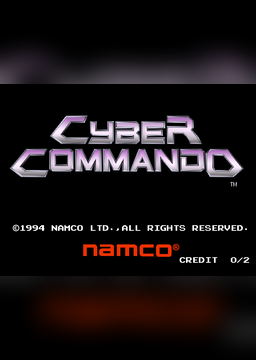
Cyber Commando runs the Japanese version of the game, on the same board as Rave Racer. Its program was translated to C and checked instruction by instruction against MAME over a whole played game, about 162 million instructions, and its DSP and sound translations against the interpreters they were made from. On a pad the two sticks are the cabinet’s two sticks; on a keyboard the arrow keys move both at once and two groups of letter keys move each one alone. The buttons can be changed in the menu.
The downloads contain no game files, apart from the board’s DSP BIOS, which is built into the program. It needs the game’s MAME ROM sets, dumped from your own board.
How to Set It Up
- Download one package: the Windows zip or the
.deb(Ubuntu 22.04+, Linux Mint 21+, Debian 12+), which hold every game in the project, or the Cyber Commando AppImage for the Steam Deck and other Linux systems. - Windows: unzip it anywhere, put
cybrcomm.zipandnamcoc74.zipin itsromsfolder and double-clickCyberCommando.exe. - Linux: install the package and start Cyber Commando from the applications menu (or type
cybercommando). The first time it makes~/.local/share/namco-2x-systems/<game>/roms, says which zip is missing and copies any it finds in~/Downloads. - AppImage: make it executable, put your zips in that same folder or next to the AppImage, and run it. On a Steam Deck, add it to Steam from Desktop Mode; the menu opens with R3 or by holding Start.
Advertisement
Download Cyber Commando PC Port
What's new in v0.10.1
Bug fixes.
- Angler King (#89): accepts the current MAME ROM names (
namco_fca10.zip,asc3_io-c.ic14) and full-set bundle zips.aking/tools/setup_roms.pywith no arguments reads the current folder. - Rave Racer (#62): the sound no longer stops on lap 3.
- Ridge Racer 2 (#95): probably fixed. It has the same gap in its sound driver as Rave Racer, but there is no log on the issue to confirm it is the same cause.
- Super 22 widescreen HUD (#76): no bright dash where the minimap frame was (Dirt Dash’s jungle).
b06d7c4257cc6b1ffdc2b98d493b9d81ace71d99fd4de63fe48749261d021a8a
1b0f47683712d23c8c641365fa0cb906743f363a6c10e3c291e0b3c5b1ecd5d3
5cbd7f3d173d56177e9ecdbfc0d5750b113b6d3af7c4119de94de2af7e0ef5bd
6d3c36a0251ec0debd9033e95cce95c5491bb0d53bf8885d7f642bbd6ffdf0ca