GoSRecomp
PC port of Castlevania: Grimoire of Souls
- RecompilationPort Type
- BLSNCVSDeveloper
- 5 Nov 2026Page Updated
Details
Platform Support
- Windows
Screenshots
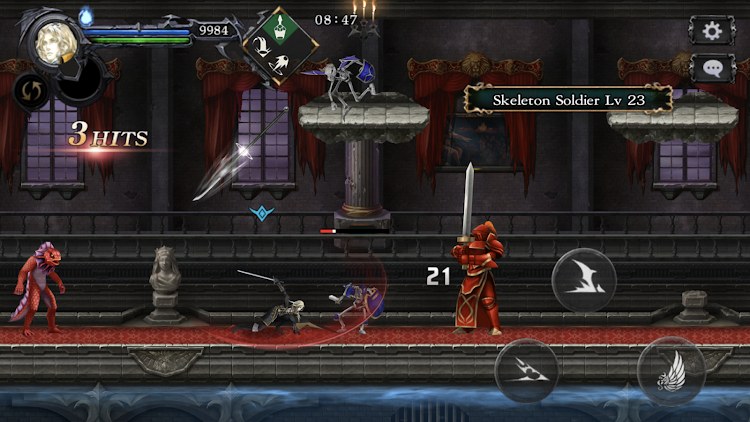
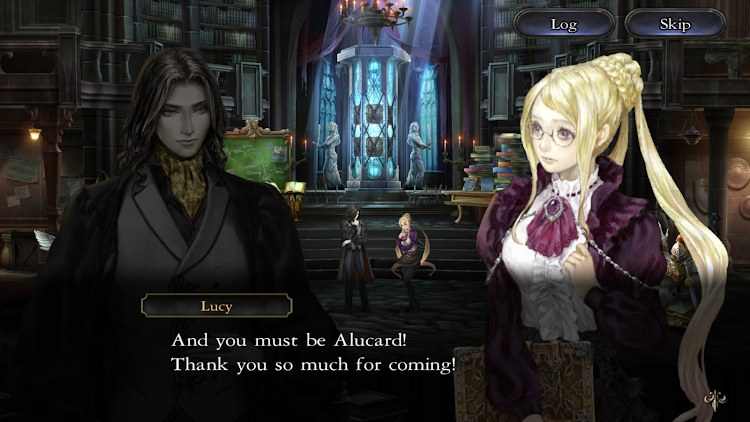
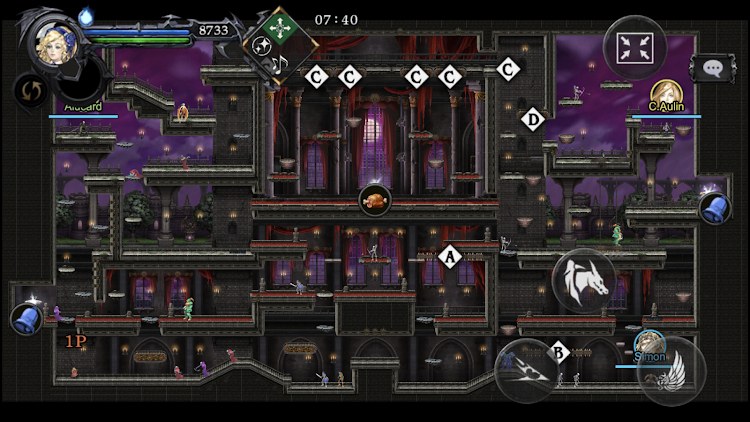
.dmg image. Windows 10 or 11 64-bit, a Direct3D 11 graphics card and about 3 GB free during setup.Overview
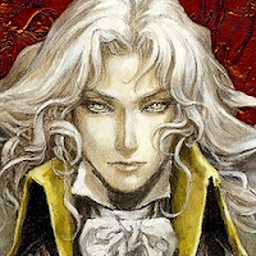
GoSRecomp is an unofficial native Windows port of Konami’s Castlevania: Grimoire of Souls by BLSNCVS. It statically translates the ARM64 code of the game’s Apple Arcade macOS app to C++ and builds it for 64-bit Windows, converts the game’s Metal shaders to Direct3D 11, translates the particle effects plugin and stands in for the Apple-only plugins. It follows the approach of Unleashed Recompiled.
The download carries the recompiled game code, which does nothing without the original app, but none of the game’s art, sound or text: the setup takes those from the player’s own macOS image of version 1.4.2. The game’s online server is emulated inside the port, so it plays fully offline with no account.
The developer considers it playable: the story, quests, summons, roster and upgrades work, along with the game’s effects and every language it shipped with. It adds Xbox, PlayStation and other controllers, keyboard and mouse with bindable mouse buttons, a frame rate cap and V-Sync, fullscreen, borderless or windowed modes at any resolution, and an optional debug menu for items, unlocks and invincibility that warns before it changes a save. The game was made for 60 frames a second, and an effect can appear a few frames late the first time its shaders are converted.
How to Set It Up
- Download
GoSRecomp-<version>.zip(not the source code) and extract it into a new, empty folder. - Drag your
.dmgontoSetup.bat, or run it and paste the image’s path. It checks the version and takes a few minutes. - Start the game with
Play.bat. Display, controller and language options are ingosr.ini, explained line by line. - To update, extract a newer release into a new folder and run
Setup.batagain. Saves stay where they are.
Advertisement
Download GoSRecomp
What's new in v1.0.7
Thanks to everyone who tested and opened issues, it helped a lot.
What’s fixed Upside-down effects in the clear screen, rank tally, rewards and Develop Abilities. The tap effect stays as it should. Xbox controllers: LT/RT work (dodge), the d-pad works in menus, and the button hints show proper icons instead of “Button11”. Other controllers (Switch Pro, 8BitDo and others in Switch mode) are now read through their standard buttons, sticks and d-pad. The d-pad moves your character by default, on every controller. PlayStation controllers: right stick up/down works, in game and when rebinding. Tutorial softlock after the first summon (“go to the Roster” with nothing clickable) is gone. Installing / updating Download GoSRecomp-1.0.7.zip below (not “Source code”, that’s just the code). Extract it into a new, empty folder. Drag your .dmg (macOS app, version 1.4.2) onto Setup.bat. Start with Play.bat. Your save is kept between versions. If you have problems Characters T-pose in the hub or roster: update your graphics driver. An NVIDIA driver update fixed it for the people who had it. Controller buttons or sticks are wrong: PlayStation and Xbox: press Default once in the game’s controller options. Other controllers (8BitDo, etc.): switch them to X-input (Xbox) or Switch mode. If buttons are still wrong, set standard=2 under [controller] in gosr.ini. Xbox controller acting weird: set xinput=0 in gosr.ini. Don’t want the d-pad to move your character: dpad_move=0. Setup.bat says “not a GoSRecomp release”: you downloaded “Source code” instead of the release zip. More in README.txt and in gosr.ini, where every setting is explained.
For any bug report, start the game with Play with crash log.bat. When you close the game it makes a crash_report.zip next to it, with the logs, your save and your settings. Attach it to your issue: it makes fixing things way faster. Without it I’m mostly guessing.
-Where It’s at-
I’ve done what I could. On my side I consider this version playable without too many issues. I’m going to take a break now, unless something really game-breaking shows up for a lot of people (which doesn’t seem to be the case). I honestly haven’t even had time to really play GOS myself yet despite having a perfectly working version without problems for some time now.
Some issues are still open (white RP/XP icons on some setups, Maria’s walk cycle, the summon light). I didn’t encounter those on my setup so once again, try upadting your drivers, and doing a clean install. I’ll probably come back at some point and fix the leftovers. In the meantime, if anyone wants to take a shot at them, the source code is right here. Do what you will with it.
Thanks again, and enjoy the game!
78146500b6fd846a8fd170a57a47ab102b487107e898214d32beecc96838a6dd
98f46c5ade5de9108f54d972fb6150598d69d4706ba6f5831bbd9ec5e1122909